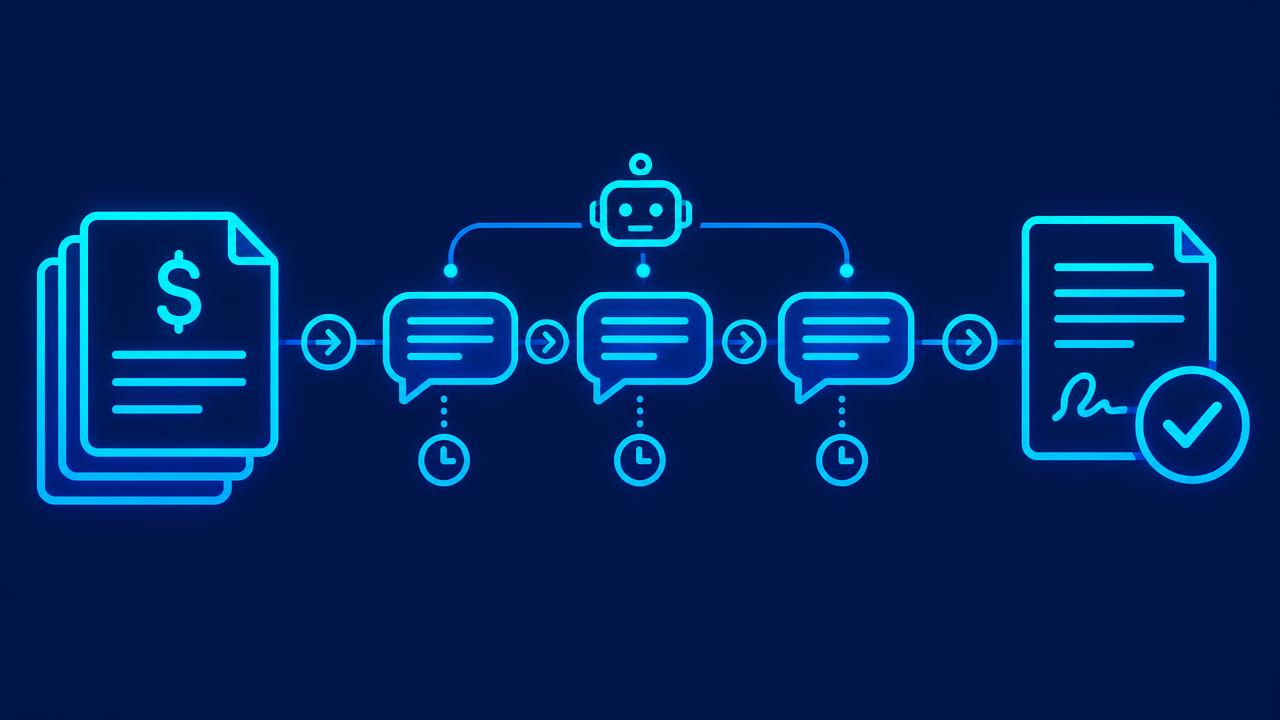
Dental No-Shows and Open Chairs: How AI Helps Practices Refill the Schedule (With Calculator)
Estimate how many open dental chairs your practice could refill, and learn how AI reminders, waitlists, recall outreach, and a connected CRM reduce no-shows and front desk workload.
By the VANGAI team · · 10 min read

Key takeaways
- An unfilled chair is the most expensive minute in a dental practice because the team, the operatory, and the overhead are already paid for.
- Most open time comes from three sources: no-shows, late cancellations, and patients who are overdue for recall but never rebooked.
- AI helps by confirming appointments, offering openings to a waitlist quickly, answering calls after hours, and running recall outreach without adding front desk hours.
- The calculator below estimates recovered production from your own numbers. It is a planning tool, not a promise of results.
- VANGAI builds these workflows on a connected CRM, and keeps clinical decisions, billing questions, and sensitive conversations with your team.
The short answer: open chairs are a scheduling problem you can measure
Every dental practice has a schedule that looks full on Monday morning and has holes in it by Wednesday afternoon. A patient forgets. Another cancels the night before. A third was due for a cleaning four months ago and nobody had time to call. Each of those gaps is an operatory, a hygienist, and an assistant waiting for work that is not coming.
AI does not fix this by being clever. It fixes it by being consistent. It sends the confirmation every time, answers the phone at 7:40 PM when a patient finally remembers to call back, offers a same-day opening to the next person on the waitlist within minutes, and keeps working the overdue recall list while your front desk checks patients in.
Why a missed dental appointment costs more than it looks
When a restaurant table sits empty, the restaurant loses a meal. When a dental chair sits empty, the practice loses the production for that visit and still pays for everything around it. The hygienist is on the clock. The sterilized instruments are ready. Rent, software, and equipment leases do not pause for a no-show.
There is also a clinical and relationship cost. A patient who misses a hygiene visit often drifts further out of their care schedule. A patient who misses a treatment appointment may delay work that becomes more involved later. And every missed visit creates more work for the front desk: a call to reschedule, a note in the chart, a gap to fill, and a conversation the team may not have time for.
That is why small percentages matter. A practice that sees 150 scheduled appointments a week and loses 10 percent to no-shows and late cancellations has about 15 open chairs every week. Over a month that is roughly 65 appointments. Even refilling a modest share of those openings can be meaningful, which is exactly what the calculator below lets you test.
Where open chair time actually comes from
Before choosing any tool, it helps to separate the problem into its parts. Each one has a different fix.
1. True no-shows
The patient simply does not arrive. Common causes include forgetting, confusion about the time, transportation problems, anxiety about the visit, and reminders that went to an old phone number or an inbox nobody reads. Many no-shows are preventable with better confirmation, but not all of them.
2. Late cancellations
The patient calls or texts with short notice. The appointment is technically cancelled, but the opening arrives too late for a front desk working by hand to fill it. This is where speed matters most. An opening offered to the waitlist within five minutes has a far better chance of being filled than one offered at the end of the day.
3. Unscheduled recall
This is the quiet one. Patients finish a cleaning, leave without booking the next visit, and slowly become overdue. They never appear on a no-show report because they were never on the schedule. Yet they represent future hygiene visits and often the restorative work that follows a thorough exam.
4. Unscheduled treatment
A treatment plan is presented, the patient says they will think about it, and the follow-up never happens. This is more sensitive than recall because it involves cost, insurance, and clinical judgment, so it usually needs a human. AI can still help by reminding your team who is waiting and by making it easy for the patient to book when they are ready.
5. Missed calls
A patient calls to book, reaches voicemail during lunch or after hours, and books somewhere else or forgets. The U.S. Census Bureau data on working adults reminds us that many patients can only call outside their own work hours, which often overlaps with the hours your phones are least covered.
Try it: estimate your open chairs and recovery
Use numbers from your practice management system if you have them. Scheduled appointments per week, your no-show and late cancellation rate, and your average production per visit are usually available in standard reports. Then adjust the refill rate to see how sensitive the result is.
How many open chairs could you refill?
Illustrative scenarios, not industry benchmarks. Use your own practice management reports for the most useful estimate.
The $200 production figure and $0 system cost are placeholders, not benchmarks or VANGAI pricing. Enter your own numbers.
Your estimated chair recovery
- Open chairs / month
- 65
- Refilled visits / month
- 19.5
- Production at risk / month
- $13,000
- Recovered after system cost
- $3,900
Planning estimate only. Production is not collections or profit, and results are not guaranteed. Uses 52 weeks per year and 12 months.
Show the calculation
Monthly openings = weekly appointments × missed rate × 52 ÷ 12. Refilled visits = openings × refill rate. Recovered production = refilled visits × production per visit, minus monthly system cost.
A few tips for getting a realistic estimate:
- Use a conservative refill rate. Not every opening can be filled. Short notice, provider type, and procedure length all limit what is possible.
- Separate hygiene from doctor time if you can. Hygiene openings are often easier to fill from a waitlist than long restorative blocks.
- Include your full system cost. Software, setup, message fees, and the staff time to review exceptions all belong in the cost figure.
- Treat production as production. It is not the same as collections after insurance adjustments, and it is not profit.
How AI refills the schedule, step by step
The most effective setups are not a single chatbot. They are a set of small, reliable workflows that share one record of each patient interaction.
Confirmation that patients actually answer
Instead of a single robocall, the system sends a confirmation at a sensible interval before the visit, asks for a simple reply, and follows up if there is no response. If the patient needs to reschedule, they can do it in the same conversation, which turns a likely no-show into a planned opening with notice. Text messages are only sent to patients who have given consent, and every message honors STOP and HELP replies.
A waitlist that moves in minutes
When a slot opens, the system identifies patients who asked for an earlier time, match the appointment type, and have consented to messages. It offers the opening, books the first patient who accepts, and updates the record. Your front desk sees the result instead of making the calls.
Recall outreach that never falls behind
Recall is where consistency pays off most. The system can work the overdue list on a steady schedule, send friendly reminders, answer common questions about the visit, and book directly into approved hygiene times. Patients who do not respond can be flagged for a personal call from your team.
An AI voice agent for after-hours and overflow calls
An AI voice agent can answer when your team is busy or the office is closed. It can book, reschedule, and answer approved questions about hours, location, and what to bring. It hands off anything clinical, urgent, or billing related to a person, and it should never give dental advice. For emergencies, it follows your approved instructions, such as directing the patient to call emergency services or to your on-call process.
A connected CRM behind everything
All of this works because every call, message, booking, and handoff lands in one place. VANGAI builds these systems on a connected AI CRM so your team can see what happened with a patient without checking three different tools. See the AI appointment setter service for how the booking piece fits in.
What AI should not do in a dental practice
Responsible automation in healthcare is defined as much by its limits as by its features. A well-designed dental workflow keeps the following with your team:
- Clinical questions. Symptoms, pain, medications, and treatment recommendations belong with licensed professionals.
- Treatment plan conversations. Cost, financing options, and insurance coverage involve judgment and trust. AI can remind and schedule, but your team should guide the conversation.
- Sensitive records. Protected health information should only be handled by systems and vendors that meet your privacy obligations. The HHS guidance on HIPAA is the right starting point, and your compliance advisor should review any setup.
- Complaints and escalations. An unhappy patient deserves a person.
The American Dental Association publishes practice management resources that are worth reviewing alongside any technology project, and the NIST AI Risk Management Framework offers a useful way to think about oversight and risk.
Messaging rules every practice should follow
Text reminders are one of the strongest tools for reducing no-shows, and they come with clear expectations. Patients should explicitly opt in to receive texts. Messages should identify the practice, state that message and data rates may apply, and explain how to reply STOP to opt out and HELP for help. Opt-outs should take effect immediately. The FCC consumer guidance on texting explains why consent matters, and your messaging provider will have its own carrier requirements.
Good consent practice is not only about compliance. Patients who chose to receive reminders are far more likely to read and respond to them.
A 30-day plan to reduce open chairs
You do not need to change everything at once. A focused pilot gives you real numbers to decide with.
- Pull your baseline. Export scheduled appointments, no-shows, late cancellations, and overdue recall counts for the last 90 days. Enter them in the calculator above.
- Choose one workflow. Most practices start with confirmations and the waitlist, because they act on openings that already exist.
- Write approved messages. Draft reminder, reschedule, and waitlist offer messages in your practice voice. Decide which situations must go to a person.
- Confirm consent. Make sure only patients who opted in will receive texts, and that STOP and HELP are handled automatically.
- Run for four weeks. Track confirmations, reschedules with notice, openings offered, and openings filled.
- Compare and decide. Measure the result against your baseline and the full system cost. Expand to recall outreach or after-hours calls only when the first workflow is working.
Questions to ask any vendor
Whether you work with VANGAI or someone else, these questions protect your practice:
- How does the system connect to our practice management software, and what happens when that connection fails?
- Where is patient information stored, and will you sign the agreements our privacy obligations require?
- Exactly which situations are handed to a person, and how quickly does my team see them?
- How is text message consent captured, stored, and honored?
- Can we review every message template before it goes live?
- What does the total monthly cost include, and what is billed separately?
- What reporting will show us whether openings are actually being filled?
How VANGAI helps dental practices
VANGAI offers two paths. With our done-for-you service, we map your scheduling, recall, and phone workflows, build them on a connected CRM, configure an AI voice agent with approved answers and clear handoffs, and support the system after launch. If your team prefers to build and manage its own tools, the VANGAI platform gives you the CRM, AI agents, and automation to do it yourself.
Either way, the goal is the same: fewer empty chairs, fewer repeated calls, and a front desk that spends more time with patients in the office. You can also read our broader guide on AI for dental practice CRM and patient scheduling or visit the dental industry page.
Frequently asked questions
How can a dental practice reduce no-shows?
Consistent confirmations that ask for a reply, easy rescheduling in the same conversation, reminders sent to patients who have opted in, and a fast waitlist for short-notice openings are the most practical steps. Measure your baseline first so you can see what changes.
Can AI fill last-minute dental cancellations?
AI can offer an opening to waitlisted patients who match the appointment type and have consented to messages, usually within minutes. Not every opening will be filled, so use a conservative refill rate when estimating results.
Is it safe to use AI for dental patient communication?
It can be when the system handles only approved administrative tasks, hands clinical and billing questions to your team, and is configured to meet your privacy obligations. Review the setup with your compliance advisor.
What does the open chair calculator measure?
It estimates monthly open appointments, how many could be refilled at the rate you choose, and the production those visits represent, minus your monthly system cost. It does not estimate collections, profit, or guaranteed results.
Does AI replace the dental front desk?
No. It handles repetitive confirmation, waitlist, recall, and after-hours tasks so the front desk can focus on patients in the office, treatment conversations, and situations that need judgment.
How long does it take to set up dental scheduling automation?
A focused pilot for confirmations and a waitlist can often be planned and tested within a few weeks, depending on your practice management software, message approval, and consent records.
Sources and further reading
Ready to put this into action?
Book a free discovery call and we will map the highest impact AI opportunities for your business.
Book a Call →