Microsoft and Salesforce’s Copilotforce News: Why CRM-Connected AI Matters for Your Business
What November 2026 AI and CRM announcements mean for business owners, plus an interactive readiness checklist for practical, supervised automation with VANGAI.
By the VANGAI team · · 13 min read

Key takeaways
- Microsoft and Salesforce announced Copilotforce on November 17, 2026, connecting customer context with productivity tools and supported CRM actions.
- Microsoft separately announced general availability of Business Applications in Work IQ on November 18, 2026.
- These are enterprise announcements, not proof that every business should switch software or that VANGAI includes those products.
- A useful small-business takeaway is to connect approved AI tasks to reliable CRM records, limited permissions, and clear human ownership.
- Use the interactive checklist to identify missing prerequisites before planning a supervised pilot.
The short answer: AI needs a reliable customer record
Recent AI news points toward a practical change in business software: assistants are being connected to customer information and permitted actions, rather than operating only as standalone chat windows. For a business owner, the useful question is not whether an assistant can produce an impressive answer. It is whether the system can find the correct customer record, complete an approved step, and leave the team with an accurate account of what happened.
On November 17, 2026, Microsoft and Salesforce announced Copilotforce. Microsoft described integrations across Copilot, Teams, and Fabric, including a Salesforce plugin in public preview. That distinction matters: an announcement and a preview are not the same as universal production availability. 1
This article explains the news, separates the published facts from our interpretation, and translates the broader direction into practical decisions for service businesses. It also includes a checklist that changes as you select the prerequisites your team has actually verified. You can use it without supplying customer information or contact details.
What Microsoft and Salesforce actually announced
Microsoft’s announcement says Copilotforce connects Salesforce customer context, business processes, and actions to Microsoft’s productivity environment. It identifies Salesforce in Copilot as a public-preview plugin with more than 38 prebuilt sales skills. It also describes two-way Zero Copy integrations between Salesforce Data 360 and Microsoft Fabric, with Accenture serving as implementation partner and pilot customer. 1
Salesforce’s own announcement describes employees accessing customer context, preparing for meetings, analyzing opportunities, and taking supported CRM actions informed by conversations, emails, and documents. It says Sales Cloud in Teams was already in pilot and distinguishes the collaboration’s different capabilities. Owners evaluating the products should check the exact status, licensing, and configuration of the particular capability they need. 2
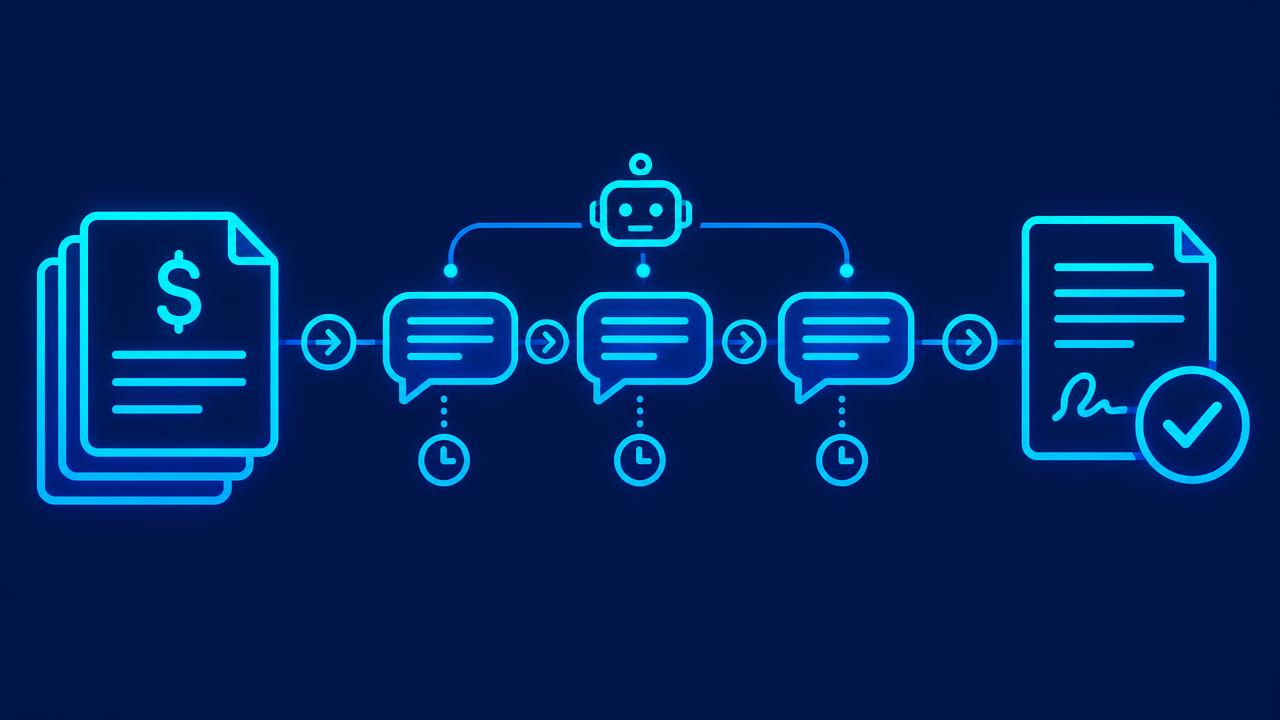
The important point is the connection between context and action. A generic assistant might draft a follow-up message. A connected system may also know which appointment the customer requested, whether someone already replied, and which record should receive the outcome. These are examples of workflow design, not a claim that every announced product implements every example in this article.
For smaller organizations, the announcement does not establish a reason to buy an enterprise stack. It does provide a useful standard for evaluating any AI proposal: ask what information grounds the response, what action the software can actually perform, and which controls prevent the wrong action. A polished conversation alone is not a complete operational system.
Another November announcement reinforces the same direction
On November 18, Microsoft announced general availability of Business Applications in Work IQ. Its description emphasizes grounding Copilot and agents in business data from Dynamics 365 and Power Platform, along with productivity data. Microsoft says teams can use it in Copilot Chat, Agent Builder, and Copilot Studio, with developer access through protocols and interfaces it names in the announcement. 3
These are distinct offerings with different ecosystems. Copilotforce should not be treated as another name for Work IQ, and a public-preview plugin should not be described as generally available merely because a separate product is. The shared business theme is narrower: software vendors are investing in AI that understands business context and works inside governed processes.
Our interpretation is that companies should evaluate the quality of their records and workflows alongside model capability. Better wording from a model cannot repair a calendar that is out of date, a customer record owned by nobody, or a rule that allows two systems to send conflicting messages. Context must be maintained, and the rules for using it must be explicit.
That is directly relevant to VANGAI’s CRM-centered approach. VANGAI builds and integrates AI systems, voice agents, and workflow automation around a unified CRM foundation. The news supports discussing this design direction; it does not mean VANGAI is affiliated with either company or automatically supplies their newly announced products.
Check your own CRM-agent prerequisites
Before comparing product names, identify what a first agent would be allowed to do. A scheduling assistant, a customer-care assistant, and an internal record-updating assistant can have very different risk profiles. Pick one workflow and use the checklist below against that specific task, rather than against your entire company.
Is your CRM ready for an AI agent?
Select only prerequisites your team has verified. This illustrative planning checklist is not a security audit, certification, or prediction of results.
0 of 6 prerequisites verified
Next: resolve the remaining prerequisites
- Choose the authoritative CRM record and remove duplicate ownership.
- Document the task, permitted answers, and explicit stopping conditions.
- Verify access, privacy obligations, and messaging consent before connecting data.
- Assign a person for exceptions and define a working manual fallback.
- Record completion, errors, review time, and total cost before a pilot.
- Test duplicate requests, unavailable calendars, incorrect records, and rollback.
If several items remain unchecked, that is useful information, not a failure. It identifies work to complete before an AI pilot has a reasonable foundation. Checking every item is not proof of compliance or production readiness. It means you have a starting point for a supervised planning discussion and should validate the evidence behind your answers.
Try completing the checklist for two different tasks. Routine appointment coordination may have a documented process, while an estimate-related workflow might depend on a manager’s judgment. The same business can be prepared for one task and unprepared for another. Narrowing the scope often produces a safer and more measurable first project.
Why a standalone chatbot is not the same as a connected workflow
A standalone chatbot can answer approved questions or help a visitor understand an offer. That can be useful. But unless the surrounding system connects the interaction to a customer record and an operational process, the conversation can remain separate from the work your employees must do next.
Consider an inquiry about an appointment. A response saying that someone will follow up does not reserve a time. A response suggesting a time does not necessarily check the correct calendar. A conversation summary does not automatically reach the person responsible for the appointment. Each of these transitions needs a defined mechanism and an owner.
A CRM-connected workflow starts with a source of truth, checks the permitted conditions, performs the supported action, and records the outcome. It also handles uncertainty. If a requested time is unavailable, the process should offer only permitted alternatives or transfer the request. If identity is uncertain, it should not reveal details from an existing record.
This does not require every step to use generative AI. Often, ordinary rules are better for validating a phone number, preventing a duplicate task, or checking a calendar status. The strongest design combines appropriate AI assistance with dependable workflow rules rather than asking a model to improvise every decision.
Three business examples that make the news practical
A home-service company coordinating incoming requests
Imagine an electrical contractor whose team receives phone calls while working on jobs. A potential workflow captures the customer’s request, checks the service area using approved rules, and creates an administrative follow-up task in the CRM. If scheduling is supported and the conditions are satisfied, the workflow can connect the customer to a suitable booking process.
The agent should not invent a service price, promise emergency availability, or diagnose a dangerous situation. Staff need to define the boundaries, approved safety language, and escalation route. The useful improvement is continuity: the request, responsible person, and next action remain connected rather than being scattered across voicemail and personal notes.
Read more about the relevant service scope on VANGAI’s AI voice agents page. During a demonstration, ask to see the customer record after the interaction. The visible result should include the correct information and a clear next step, not simply an entertaining voice conversation.
A dental practice managing routine administrative questions
A dental practice might explore an assistant for approved office information, appointment requests, and administrative routing. The workflow must respect existing practice systems and data-use obligations. Staff should decide which requests require identity verification, which information can be stored, and when a person must intervene.
An administrative assistant is not a clinician. It should not diagnose symptoms, determine treatment, or present a clinical recommendation as an automated outcome. Neither this article nor a vendor announcement establishes that any particular configuration satisfies healthcare privacy requirements. Agreements, access controls, actual data flows, and organizational approval must be reviewed before sensitive information is connected.
VANGAI’s dental industry page describes administrative opportunities and boundaries. A first pilot might remain limited to nonclinical scheduling requests, using an approved handoff rather than exposing a broad patient record to an assistant.
A professional-services team preparing customer follow-up
A professional-services business might use connected AI to summarize an approved inquiry and prepare a draft for staff review. The CRM provides the relevant interaction history, while a named person approves the response. The system records whether the draft was accepted, changed, or rejected, and the team checks whether the process actually reduces work.
Some messages should remain entirely human-owned. A legal engagement decision, insurance coverage statement, or sensitive contractual commitment needs the appropriate professional’s judgment. A good workflow makes this boundary obvious instead of treating human review as an inconvenient exception.
For these organizations, the value may be fewer repeated questions and more consistent internal routing. It should be measured in completed work and quality, not assumed from the fact that AI touched a conversation. An assistant that generates many drafts requiring extensive correction may increase activity without improving operations.
Six foundations to address before buying another tool
One authoritative record
Decide where the customer relationship is maintained. A CRM can be the operational foundation without becoming the storage location for every sensitive document. Define which system owns each important field, how updates move between systems, and what happens when information conflicts.
Duplicates deserve specific attention. Two records for the same person can trigger repeated messages or split the history between teams. Your pilot should include examples involving similar names, updated contact details, and existing customers making a new request. Record matching is a business process, not something to leave to vague conversational inference.
Written rules and approved information
An assistant needs current business facts and explicit limits. Document operating hours, available services, scheduling conditions, cancellation policies, and escalation instructions. Identify the person who updates each item. An answer approved last year may no longer be appropriate after a policy change.
Write down prohibited actions as carefully as permitted ones. The agent might prepare a draft but not send it, create a task but not delete a record, or collect an appointment preference but not confirm an unavailable time. Clear boundaries make testing possible because the team knows what success and failure look like.
Limited access and approved data use
The system should have access only to the information and actions needed for the chosen workflow. Existing permissions need to remain meaningful. Giving an assistant broad access for convenience can expose unrelated customer data or permit changes that no employee intended to delegate.
If the workflow includes text messaging, verify the consent applicable to the message type and honor opt-outs. An inquiry, a phone number, or an imported contact is not by itself proof of permission to send marketing texts. VANGAI’s public Privacy Policy and Terms describe its own program; every business also needs controls appropriate to its particular obligations.
A human owner and fallback
Name the person responsible for exceptions, incorrect information, and stalled work. A transfer that reaches an unmonitored inbox is not a reliable handoff. Define expected response times and what the customer hears when staff are unavailable.
Keep a manual process available. If the calendar connection fails or a record cannot be matched confidently, the workflow should stop the risky action and preserve the request for a person. A fallback protects customer experience while the team investigates the issue.
A baseline and meaningful measurements
Measure the current process before launching the pilot. Record how many requests arrive, how many finish correctly, how much staff time is required, and where delays occur. Use a consistent definition of completion, such as a verified appointment request routed to the correct owner.
Include review time and operating cost in the comparison. You can explore time-capacity assumptions with VANGAI’s interactive time-savings guide, but an illustrative calculator is not customer evidence. Your decision should eventually rely on measurements from your own workflow.
Test cases and a rollback plan
Test normal requests and difficult cases. Include a customer changing their mind, a duplicate submission, a fully booked calendar, incomplete information, a mistaken identity, and a request outside the approved scope. Evaluate what the system records as well as what it says.
Before enabling live actions, decide how to disable them. Know who can pause the workflow, where unresolved requests will go, and how staff can correct a bad update. A rollback plan is part of the implementation, not a document to create after something goes wrong.
How to evaluate a demo after reading the headlines
Ask the presenter to show one complete workflow using fictional information. Start with the customer’s request and finish with the saved record, task, or booking result. Then repeat the process with an exception. This reveals whether the demonstration covers operational behavior or only the happy-path conversation.
Useful questions include: Which system owns the record? What happens if an employee has already responded? Can the assistant see information outside its task? Which actions require approval? Where is an error visible? What happens during an outage? Who maintains the knowledge and the rules after launch?
Ask about total cost without assuming the announcement’s products share a simple price. Licenses, usage, messaging, telephony, integration work, onboarding, and ongoing maintenance may have separate terms. This article does not quote a VANGAI package price or a Microsoft or Salesforce license because a headline is not a complete purchase specification.
Finally, distinguish a demo from a pilot and a pilot from production. A demo proves a narrow interaction can work under chosen conditions. A pilot tests a defined process with supervision. Production requires maintained controls, ownership, monitoring, and a reliable response when something changes.
Where VANGAI fits: implementation or self-serve ownership
VANGAI offers two paths for businesses building around a CRM foundation. The done-for-you path focuses on designing and integrating AI systems and automation for the organization’s actual workflow. The self-serve path gives businesses a platform-oriented option when their team wants to own configuration and ongoing operation.
Neither path should be chosen simply because an enterprise vendor made news. Choose based on the work, the existing systems, the team’s capacity, and the required safeguards. A business with a clear process and an internal owner may want more direct control. A business with disconnected tools and unclear routing may first need help mapping and implementing the process.
Explore the VANGAI platform for its published capabilities, or review custom AI agents and workflow automation. Specific integrations, data requirements, scope, and costs should be confirmed before a purchase or deployment. This article does not imply that VANGAI includes Copilotforce, Work IQ, or enterprise licenses.
A practical next step this week
Select one administrative workflow that your team repeats often. Write its beginning and end in plain language. Identify the source record, permitted action, person responsible, and failure path. Complete the readiness checklist against that workflow and keep evidence for each selected prerequisite.
Then establish a baseline and define a small supervised pilot. Decide in advance what would make the pilot worth continuing and what would make you pause it. The outcome should be an operational improvement you can verify, not an assumption that adopting AI automatically produces more revenue.
The November announcements are important because they emphasize business context and connected actions. Your business does not need to copy an enterprise purchase to learn from that direction. Start with reliable records, explicit rules, and human accountability, then connect technology to a task worth improving. Book a VANGAI consultation to discuss a CRM-centered pilot that fits your actual operation.
Frequently asked questions
What is Copilotforce?
Copilotforce is the Microsoft and Salesforce partnership announced November 17, 2026, connecting Salesforce customer context and supported workflows with Microsoft Copilot, Teams, and Fabric. Availability differs by capability; the Salesforce in Copilot plugin was described as public preview.
Is Copilotforce the same as Business Applications in Work IQ?
No. Microsoft announced general availability of Business Applications in Work IQ separately on November 18, 2026. They involve different products and business-data ecosystems.
Does VANGAI include these Microsoft and Salesforce products?
This article does not claim that VANGAI includes Copilotforce, Work IQ, or their licenses, or has a partnership with either vendor. Confirm required integrations and commercial scope directly before purchasing.
Should a small business replace its CRM because of this news?
Not automatically. Evaluate the existing records, workflow requirements, integration options, ownership, safeguards, and total cost before considering migration.
What does completing the interactive checklist mean?
It means you marked six planning prerequisites as verified. It is an illustrative self-assessment, not a security audit, compliance certification, savings prediction, or authorization to deploy.
What is a sensible first AI-agent project?
One narrow administrative process with approved information, limited actions, reliable CRM records, a human owner, measurable success criteria, and a fallback. The appropriate choice depends on the business and its obligations.
Sources and further reading
Ready to put this into action?
Book a free discovery call and we will map the highest impact AI opportunities for your business.
Book a Call →