Conceptual illustration connecting a CRM contact to AI, calls, messages, and appointments

Self-serve. Built around you.

VANGAI PlatformYour CRM. Your AI agents.

Build the business system you actually need. Bring your contacts, conversations, AI agents, and follow-up together in a workspace you can make your own.

Monthly platform access · Agent templates · Video tutorials

Own your customer journey

Contacts, pipelines, and conversations.

Build your AI team

Voice, messaging, and appointment agents.

Connect the work

Lead capture, booking, and follow-up.

You’re in the driver’s seat

One workspace.
Built your way.

You know how your business works. Your tools should reflect that. The VANGAI Platform gives hands-on founders and teams a place to build their own CRM processes, configure AI agents, and connect the repetitive work that happens between a first inquiry and a lasting customer relationship.

Start with one useful workflow, not an entire transformation. An AI receptionist. A lead qualification process. A follow-up sequence. Then expand as you learn what works.

This is our self-serve path: you own the configuration and day-to-day operation. Want our team to handle the build instead? Explore done-for-you implementation.

Inside the platform

From the first conversation
to the next opportunity.

Build with a connected set of CRM, AI, and business tools. Confirm your required features and configuration with VANGAI before choosing your subscription.

A CRM shaped around your business

Organize contacts, track activity, create custom sales pipelines, and manage tasks. Keep a lead’s progress connected to the conversations and follow-up that move it forward.

  • Contact records and activity history
  • Custom pipelines and sales stages
  • Tasks and opportunity management

Your own AI agents

Build conversational agents for customer questions, lead qualification, and appointment setting. Define what an agent should accomplish and connect its conversations to your business workflows.

  • Voice and message-based conversations
  • Lead qualification and appointment booking
  • Custom instructions and human handoffs

Voice that does more than answer

Configure an AI answering experience for incoming calls and set up outbound calling workflows where appropriate. Use the built-in phone tools to keep calls connected to the customer journey.

  • Inbound and outbound AI calling
  • Phone system and power dialer
  • Call recording and tracking tools

Conversations in one place

Bring SMS, email, and live chat into a centralized communication hub. Follow a conversation alongside the contact record instead of searching through disconnected tools.

  • Two-way SMS and email
  • Live chat and website widgets
  • A shared communication workspace

Follow-up that keeps moving

Build automations around events such as a new lead or a form submission. Connect messages, calls, CRM updates, and follow-up steps into a repeatable process your team can refine.

  • Visual workflow building
  • Event-triggered follow-up sequences
  • Sales, support, and onboarding workflows

Websites, funnels, and lead capture

Create the pages that bring people into your system. Generate websites, lead forms, and funnel steps from a description, then review and adjust the result before publishing.

  • AI-assisted website creation
  • Funnels, surveys, and lead forms
  • Connected lead capture and follow-up

Booking connected to your CRM

Use appointment scheduling and calendar synchronization to connect qualified conversations to a next step. Let booking become part of the workflow rather than another disconnected link.

  • Appointment scheduling
  • Calendar synchronization
  • Agent-driven appointment booking

Marketing from the same workspace

Create email campaigns, plan social posts, and use AI content tools to support your marketing. Connect campaign activity with the contacts and follow-up already in your CRM.

  • Email marketing tools
  • Social posting and calendar
  • AI image and video generation tools

More of your operations, connected

Bring project and task management, support tickets, and dashboards into your business workspace. Track work alongside the relationships and processes that created it.

  • Project and task management
  • Ticket tracking
  • Dashboards and call analytics

Customer experiences beyond the sale

Use contract signing, reputation management, and courses or memberships to support the next stage of a customer relationship. Build an experience that continues after the first appointment.

  • Contracts and e-signatures
  • Reputation management
  • Courses and membership tools

Connect the tools you already use

Extend workflows into supported external services. Connections can update CRM contacts, create tasks, or send invoices when the necessary accounts and permissions are configured.

  • Supported third-party integrations
  • Task, contact, and invoice actions
  • API and agent-tool connections

Build at your own pace

Start with agent templates and follow video tutorials as you customize the system. Learn the platform as you build, with documentation to support your next step.

  • Agent starting points and templates
  • Video tutorials
  • Help documentation

AI with a job to do

Not just a chatbot.
A connected next step.

An agent is most useful when the conversation leads somewhere. Configure it to answer questions, collect relevant details, qualify an inquiry, book an appointment, or hand the conversation to a person.

Define the role and instructions, connect the appropriate tools, and test the experience. Keep clear boundaries for what the agent can do and when your team should take over.

  • Start with a template and tailor its instructions.
  • Connect calls or messages to your CRM process.
  • Test questions, booking steps, and human handoffs.
Conceptual illustration of an AI agent connecting business information, voice conversations, and calendar actions
Your instructions. Connected tools. A purposeful conversation.
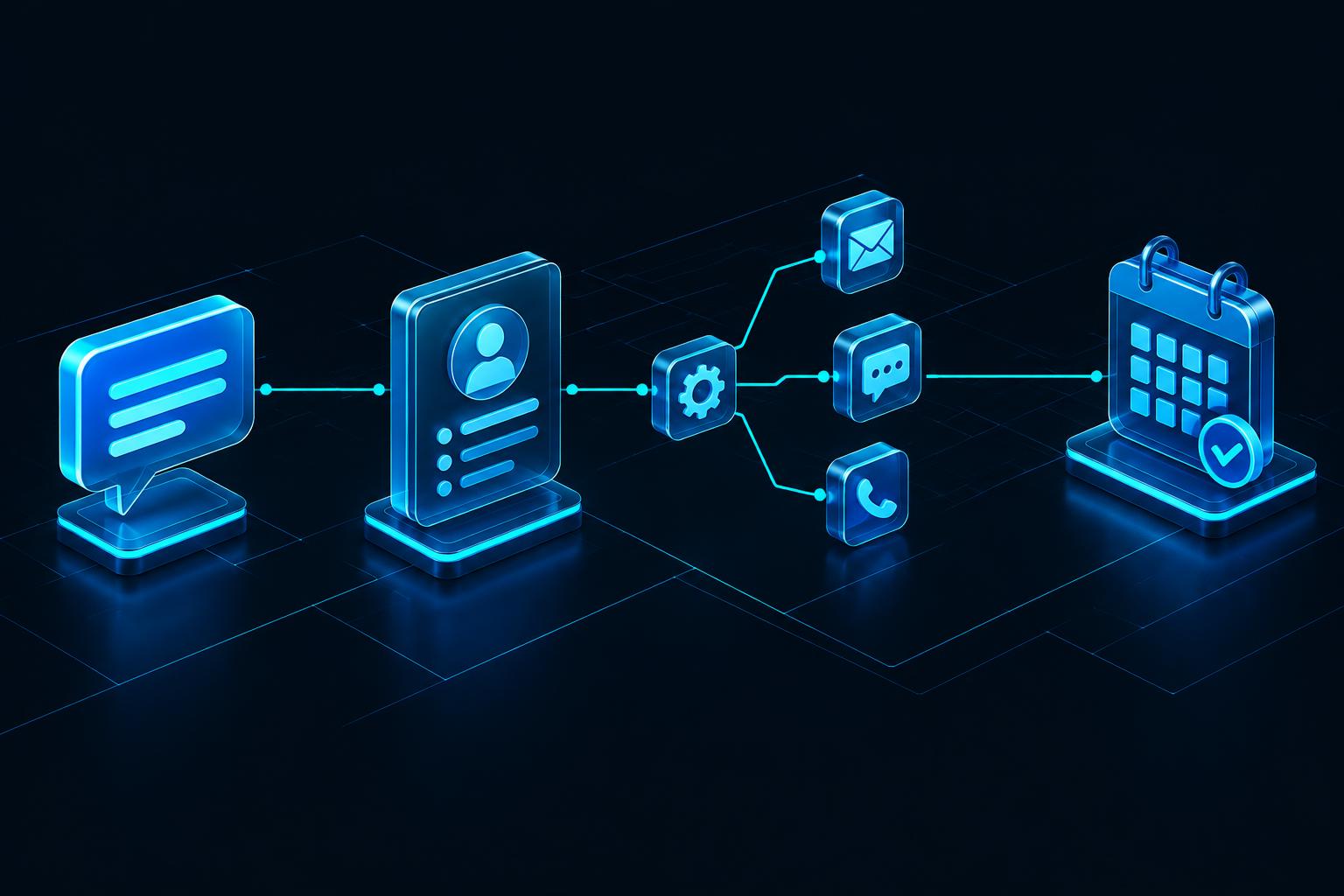
Conceptual workflow from an incoming inquiry to a contact record, follow-up messages, and a booked appointment
Lead capture, follow-up, and booking in one connected process.

Describe. Refine. Connect.

Turn an idea into
a working workflow.

Use AI-assisted building to describe the outcome you want: a website with a lead form, an AI receptionist, or a follow-up process. Review the generated pieces, make your changes, and connect them to the way your business operates.

Visual automation tools let you refine the path from a new inquiry to the next action. Start simple, test each step, and publish only after the content, routing, and customer experience meet your standards.

“Create a lead form for my service business, qualify new inquiries, and offer an appointment to prospects who are a good fit.”An example starting prompt, not a guaranteed finished configuration.

What could you build?

Real workflows. Your business context.

These are example configurations to adapt and test, not promises of specific results.

Home services · Local businesses

A receptionist for a service business

  1. 01A prospect calls with a question.
  2. 02Your agent gathers details and checks the next step.
  3. 03An appointment is booked or the conversation is handed to your team.
  4. 04The contact and follow-up stay connected in your CRM.

Consultants · Sales teams

A lead-to-appointment system

  1. 01A visitor submits a form on your website.
  2. 02A qualification workflow starts the conversation.
  3. 03The prospect receives the appropriate booking or follow-up.
  4. 04Your pipeline reflects where the opportunity stands.

Growing teams · Online businesses

A customer support starting point

  1. 01A customer sends a message or opens live chat.
  2. 02Your agent responds within the scope you define.
  3. 03Questions that need a person are handed off.
  4. 04Your team continues the conversation with context.

Agencies · Hands-on founders

A more organized client operation

  1. 01Create the pipeline and tasks your business needs.
  2. 02Connect customer conversations and appointment scheduling.
  3. 03Automate repetitive follow-up and onboarding steps.
  4. 04Review activity and refine the process as your operation grows.

Start with something useful

Your first build. Then your next.

01

Choose one outcome

Pick a repeatable problem: answering inquiries, qualifying leads, booking appointments, or organizing follow-up.

02

Make it yours

Configure your CRM stages, choose an agent starting point, and tailor the instructions and connected actions.

03

Test the whole journey

Run real scenarios. Check generated content, consent requirements, calendar actions, and escalation to your team.

04

Launch and refine

Review conversations and activity. Adjust the process and expand to the next workflow when you are ready.

Before you build

Good questions.
Clear answers.

Your next move

Build it yourself.
Make it VANGAI.

Tell us what you want to build. We’ll help you confirm platform fit, available features, pricing, and the next step for access.

Feature availability, account limits, third-party connections, and usage charges depend on your configuration. Confirm details with VANGAI. Automated calling, messaging, and recording must follow applicable consent and disclosure requirements.