AI for Dental Practices: Why Choose VANGAI for Patient Scheduling and CRM Automation?
Explore how VANGAI can connect dental phone inquiries, appointment requests, recall workflows, and a CRM, with clear privacy and clinical boundaries.
By the VANGAI team · · 13 min read

Key takeaways
- VANGAI combines CRM configuration, AI voice agents, and workflow automation around a practice’s administrative needs.
- Useful starting points include public information, appointment requests, front desk handoffs, and approved reminders.
- The practice management system remains the source of truth for clinical records and appointment availability.
- Any workflow involving protected health information needs a documented privacy review and appropriate agreements before launch.
- Measure response time, booking accuracy, staff effort, and patient experience rather than assuming guaranteed savings.
What can AI actually do for a dental practice?
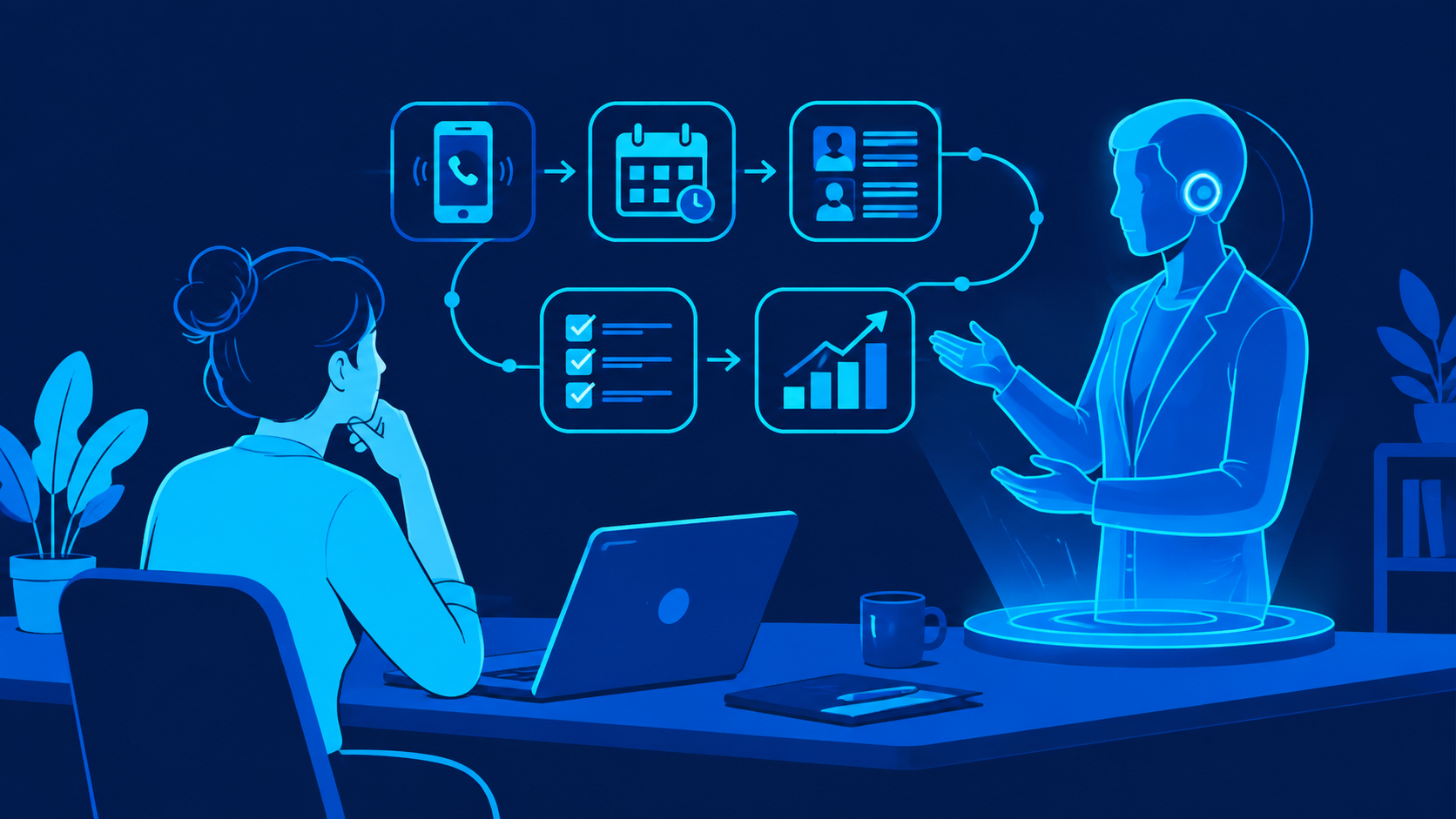
AI can support a dental practice with routine administrative conversations: answering approved questions about office hours, organizing appointment requests, routing messages, and helping staff follow up consistently. The useful question is not whether a chatbot can sound friendly. It is whether the entire process gets a patient to the right next step without creating extra work or unnecessary risk.
An independent dentist, orthodontic office, or growing dental group might face the same front desk problem in different forms. A patient arrives for treatment while another calls about an appointment. Someone submits a website inquiry after closing. A canceled visit creates an opening, but the team cannot immediately work through a waitlist. These situations are communication and coordination problems before they are software problems.
This guide explains how to evaluate VANGAI for those workflows, what an implementation could include, and what your practice should verify before using any AI system with patients. The examples are planning scenarios, not reported VANGAI customer results.
Why a connected CRM matters more than another chatbot
Adding another communication tool can make the front desk busier if it creates another inbox to monitor. A website assistant might collect a request while a telephone service records a separate message. Staff then spend time identifying duplicates, checking appointment availability, and deciding which conversation needs attention first.
A CRM can organize administrative relationship activity around a shared process. Subject to an approved data-handling design, it can show the responsible staff member, communication status, next action, and outstanding request. The important benefit is continuity: a request does not disappear simply because someone changes shifts or leaves for lunch.
VANGAI’s approach puts the CRM foundation first and connects suitable agents and automations to it. This does not mean copying every patient detail into the CRM. In dentistry, the best design may intentionally keep clinical information in the existing practice management software and limit the CRM to authorized administrative information.
Read our AI-powered CRM guide for the broader model. For a dental practice, the data boundary is just as important as the features. A system that collects less information and routes exceptions clearly can be more useful than a feature-rich setup nobody has reviewed.
Five dental workflows worth evaluating first
1. Public questions and after-hours appointment requests
A prospective patient may want to know your location, parking arrangements, whether you accept new patients, or how to request a consultation. An agent can answer from content your practice has approved rather than inventing an answer. It should clearly identify itself as an automated assistant and provide a human contact path.
After hours, the assistant can explain the appointment-request process and provide an approved booking destination. Actual booking requires verified access to the correct calendar, appointment types, and scheduling rules. Without that access, the system should acknowledge a request rather than claim an appointment is confirmed.
An AI voice agent can be evaluated for similar administrative questions by telephone. Carrier setup, call routing, recording policies, transcription handling, accessibility, and human transfers all need testing. A natural-sounding voice is not proof that those operational details work correctly.
2. Scheduling that respects clinical resources
Dental calendars are more complicated than an open hour on a general calendar. Hygiene appointments, consultations, emergency examinations, and longer procedures may require different clinicians, operatories, equipment, and preparation. A booking assistant must use approved rules rather than treat every opening as interchangeable.
Begin with a narrow appointment category. Decide which provider can perform it, its duration, whether new patients are eligible, and who can override the rules. Test cancellations and rescheduling as carefully as new bookings. Also confirm what happens if two people request the same opening at nearly the same time.
VANGAI can assess scheduling and integration requirements through its AI appointment-setting service. Compatibility with your specific dental software is not automatic. Confirm the available connection and permissions before agreeing on an implementation scope.
3. Front desk handoffs and callback ownership
Some conversations should never stay with automation. A patient may describe a symptom, question a treatment recommendation, challenge a bill, or need help understanding an accessibility accommodation. An administrative agent should recognize that it lacks authority to resolve those matters and route them according to the practice’s approved policy.
A good handoff includes the administrative purpose of the request, its destination, and its status. It does not require an unnecessary transcript full of sensitive details. Define who owns the callback, how staff know it is waiting, and how the request is marked complete. Avoid implying that a task notification equals a completed patient interaction.
For emergencies, use clinician-approved instructions appropriate to the practice. The assistant should not assess symptoms or decide whether a patient can safely wait. Emergency guidance and escalation procedures need professional review before any patient-facing launch.
4. Appointment reminders and recall coordination
Reminders can make it easier for patients to confirm, cancel, or request a new time. Recall coordination can help staff work through approved lists of patients eligible for a routine follow-up. Both are workflow opportunities, not a promise that attendance or treatment acceptance will improve by a particular percentage.
The practice should decide the channel, timing, wording, communication preferences, and stop conditions. A reminder should not keep sending after a cancellation. A recall message should not continue after the patient requests no further contact. Replies should reach a monitored destination rather than an inbox nobody checks.
Distinguish appointment communications from promotional messages. Patient permission, healthcare privacy rules, telephone and text-message requirements, and vendor terms must be reviewed for the specific use case. Consent given to contact VANGAI itself is not permission for a dental practice’s separate patient messaging program.
5. Administrative reporting and quality review
A connected process can help staff see how many requests await attention, how long callbacks take, and which conversations require correction. Start with operational questions that a practice manager can act on rather than collect every available metric.
For example, track the share of appointment requests that receive a documented response, the number of scheduling exceptions, and how often staff correct an automated answer. Review a permitted sample of interactions for accuracy and tone. If an assistant saves time but causes confusion, the workflow needs revision before wider use.
VANGAI’s data intelligence and analytics service can be considered for that reporting layer. Access to patient-level data, reporting exports, and vendor retention practices must still fit the approved privacy design.
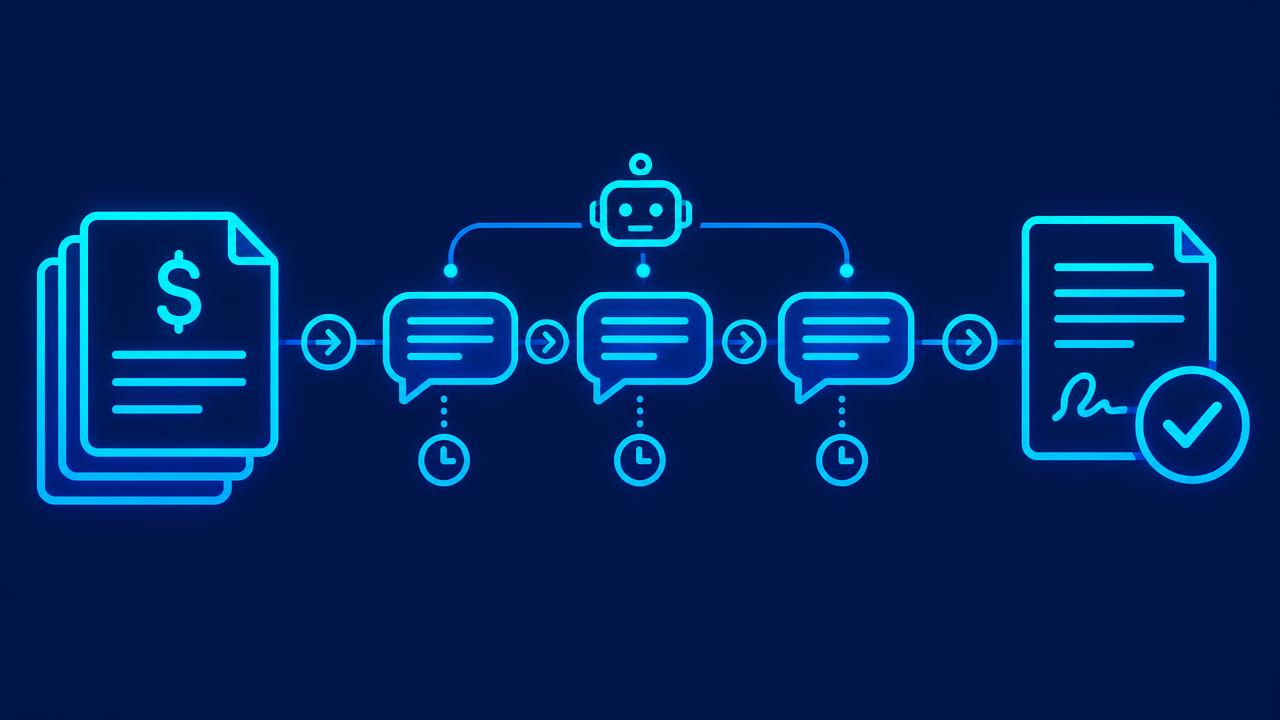
!Connected dental administrative workflow
A practical patient journey, without invented results
Consider an illustrative family dental practice. At 8 PM, a prospective patient visits the website to ask whether the office accepts new patients. The assistant answers using the current approved policy and explains how to request an appointment. It does not ask for symptoms, treatment history, or an insurance-card image in a general chat.
If an approved scheduling connection is available, the patient sees eligible appointment options. If it is not, the assistant provides a secure request path and explains that staff will confirm availability. The distinction matters: a received request should never be presented as a reserved chair.
The following morning, the receptionist sees a clearly assigned task or confirmed appointment status, depending on the workflow. A reminder can be sent through an approved channel if appropriate permissions and preferences are in place. A later clinical question goes to the dental team rather than an AI-generated treatment answer.
This scenario illustrates a possible design. It does not establish a response-time guarantee, savings figure, or patient outcome. Your practice would measure those results during a controlled pilot and decide whether the workflow deserves expansion.
HIPAA, patient information, and vendor questions
Dental practices that are HIPAA covered entities must evaluate systems handling protected health information accordingly. Appointment details, contact information tied to care, recordings, and transcripts may involve protected information depending on context. Calling a tool a CRM or a receptionist does not remove those obligations.
HHS cloud-computing guidance explains that a cloud provider maintaining electronic protected health information can be a business associate even if it cannot view the information. Encryption alone does not make the provider relationship irrelevant.
Before sending patient information into any proposed VANGAI workflow, verify the actual services used, required business associate agreements, security measures, subcontractor arrangements, retention, deletion, and permitted uses of data. This article does not establish that VANGAI or every service connected to it is approved for your practice’s protected information.
HHS also explains that a covered entity may use a cloud service for electronic protected health information when appropriate agreements and other HIPAA requirements are satisfied. A signed agreement is important, but it does not replace your own risk analysis and ongoing risk management.
Use a small written checklist during evaluation:
- Identify every place information travels, including calls, transcripts, calendar entries, notifications, logs, and support tickets.
- Determine what information is necessary and keep unrelated clinical details out of the workflow.
- Verify access controls, staff permissions, retention settings, and incident-response responsibilities.
- Confirm the applicable agreements and whether any external AI service can retain information or use it for training.
- Test secure handoffs and decide how patients can reach a person without using automation.
Your privacy officer, counsel, or qualified advisor should review the proposed setup. If the requirements cannot be satisfied, keep the pilot to public information or do not deploy that workflow.
What AI should not handle for dentists
Do not use a general administrative assistant to diagnose tooth pain, interpret radiographs, recommend a procedure, determine medical suitability, or promise treatment results. Administrative automation and clinical AI are separate categories with different responsibilities.
The American Dental Association’s overview of AI uses in dentistry provides context for the field. It is not an endorsement of VANGAI or permission to replace professional judgment. A clinician should approve any patient education content and define which questions require staff review.
The assistant should also avoid guaranteeing insurance coverage, final out-of-pocket costs, or authorization. It can explain the practice’s approved administrative process and route verification questions to the appropriate team. Billing decisions and treatment discussions should remain with authorized people and systems.
Why evaluate VANGAI instead of assembling tools yourself?
Some dental practices already have effective reminders, online scheduling, and communication features in their current software. Audit those first. There is no value in paying for a second tool that duplicates a working process or introduces another record that staff must reconcile.
VANGAI is most relevant when a practice needs help connecting approved administrative workflows, configuring agents, documenting handoffs, and organizing activity around a CRM foundation. The done-for-you approach can provide a single implementation scope instead of leaving the practice manager to coordinate unrelated tools.
For teams that want direct control, the VANGAI self-serve platform offers CRM and agent-building capabilities. That option requires an internal owner who can maintain instructions, review changes, and manage integrations. Self-serve access does not waive privacy obligations or guarantee compatibility with a dental system.
Choose based on ownership and workflow fit, not an unsupported claim that one platform is universally better. Ask what is included in setup, which connections are supported, who reviews agent quality, and how the practice can stop or export a workflow if it no longer meets its needs.
How to evaluate costs and savings honestly
VANGAI pricing for a dental implementation depends on scope and has not been specified in this article. Request a quote that separates setup, recurring platform access, communication usage, integrations, maintenance, and any privacy-related requirements. Avoid comparing only subscription prices while ignoring staff time spent maintaining the system.
Use a simple planning example: if a practice spends six hours each week on a selected administrative task and a pilot reduces that work by two hours, that is two hours of released capacity. At an illustrative loaded labor cost of $30 per hour, the capacity value would be $60 weekly. Those are hypothetical inputs, not observed results or a forecast.
Released capacity is not necessarily a payroll saving. Staff may spend the time helping patients, resolving billing questions, or completing other work. Subtract operating costs and review time, then track whether the practice actually sees the benefit it wanted. Additional bookings also do not equal additional profit without considering attendance and delivery costs.
A phased rollout for a dental office
Discovery: Select one problem and document the current process. Identify the system of record, data boundaries, authorized owner, and baseline measures. Clarify whether the first version provides public answers, collects approved requests, or books appointments through a verified connection.
Review and configuration: Approve content, privacy requirements, consent handling, calendar rules, and escalation. Create a limited knowledge base with current hours, approved service descriptions, and contact instructions. Do not upload a bulk patient list simply to make the assistant seem more knowledgeable.
Testing: Use synthetic examples before patient data. Test unavailable slots, duplicate requests, unsupported questions, outages, and requests to speak to a person. Ask staff to try confusing wording and verify that the assistant acknowledges uncertainty rather than improvising.
Controlled pilot: Launch within a limited scope with a named reviewer. Compare booking accuracy, response consistency, staff effort, and complaints against the baseline. Stop the workflow if it creates privacy concerns or unsafe answers. Expand only after the practice has evidence that the first process works.
Make your dental website easier for patients to understand
Automation depends on accurate source content. Keep office hours, location, service descriptions, appointment policies, and contact options consistent across your website and business profiles. Write direct answers to common administrative questions without implying that a web page replaces individualized clinical advice.
Clear content can also support search visibility, but neither publishing articles nor adding AI guarantees rankings or recommendations by an AI platform. A patient-friendly website should prioritize factual usefulness, accessible language, and reliable contact paths over promises about algorithms.
The bottom line for dental practices
Before a consultation, ask your receptionist to describe one recurring problem and one exception that makes it difficult. That real operational context helps separate useful automation from a polished demonstration. A clear scope should explain both the normal patient journey and what staff do when something goes wrong.
The strongest reason to evaluate VANGAI is not to replace your front desk with a talking widget. It is to make approved patient communication more organized: the correct answer, an accurate appointment status, a clear owner, and a safe path to a person when automation should stop.
Start small, keep clinical judgment with clinicians, and verify patient-data requirements before connecting systems. If you want to assess a specific scheduling or communication bottleneck, book a VANGAI consultation. Bring a description of your current workflow and software, not patient records, so the first discussion can focus on scope and suitability.
Frequently asked questions
Can VANGAI act as an AI receptionist for a dental practice?
VANGAI offers voice agents and workflow configuration that can be evaluated for administrative questions, appointment requests, and staff handoffs. Phone setup, approved instructions, privacy requirements, and calendar access must be confirmed before deployment. It should not provide clinical triage or diagnosis.
Does a dental CRM replace practice management software?
No. The practice management system remains the source of truth for clinical records and its approved scheduling functions. A CRM can organize permitted administrative activity, but integration scope and data handling must be reviewed for the specific tools involved.
Is every VANGAI workflow HIPAA compliant?
This article does not make that claim. Suitability depends on the configured workflow, information processed, vendor relationships, agreements, security controls, and the practice’s risk analysis. Verify all requirements before sending protected health information into any proposed system.
Can AI reminders reduce dental no-shows?
Reminders can support confirmation and rescheduling, but a specific reduction is not guaranteed. Track attendance, replies, cancellations, and staff effort during a pilot. Review channel permissions and keep message content appropriate to the patient’s preferences and the practice’s privacy policies.
What should a small dental office automate first?
Begin with a narrow administrative problem such as approved public questions or routing appointment requests. Document its owner, measure current effort, and test with synthetic examples. Expand into patient-data workflows only after the necessary privacy and operational reviews are complete.
Sources and further reading
Ready to put this into action?
Book a free discovery call and we will map the highest impact AI opportunities for your business.
Book a Call →