AI Receptionist: How AI Voice Agents Answer Calls, Book Appointments, and Never Miss a Lead
What an AI receptionist is, how AI voice agents work, top use cases, setup steps, compliance rules for calls, and how to measure results for your business.
By the VANGAI team · · 12 min read
Key takeaways
- An AI receptionist is a voice agent that answers phone calls, understands callers in natural language, and handles tasks like booking, answering questions, and routing.
- It helps businesses capture calls that would otherwise go to voicemail, especially after hours and during busy periods.
- The best systems integrate with your calendar and CRM, follow clear scripts and rules, and transfer to people when needed.
- Disclose that callers are speaking with AI and follow rules for automated calls and recordings.
What is an AI receptionist?
An AI receptionist is a voice based AI agent that answers your business phone calls. It speaks and listens in natural language, understands what callers want, and takes action: answering common questions, booking or rescheduling appointments, taking messages, qualifying leads, and transferring calls to the right person.
Unlike old phone menus that force callers to press numbers, an AI receptionist holds a real conversation. Callers can say "I need to reschedule my appointment on Thursday" or "do you service my area?" and receive a helpful response.
Why missed calls are so costly
For many businesses, especially service businesses, the phone is still the most important sales channel. When a call goes unanswered, the caller often simply calls the next business on their list. Missed calls happen for predictable reasons:
- Staff are busy with customers or on job sites.
- Calls arrive after hours or on weekends.
- Call volume spikes during busy seasons.
- Lunch breaks and holidays leave gaps.
Each missed call can mean a lost customer. Research published in Harvard Business Review on lead response shows how quickly interest fades when businesses are slow to respond. An AI receptionist makes sure every caller gets an immediate answer.
How an AI receptionist works
- Answering: the AI picks up the call instantly, greets the caller with your business name, and explains how it can help.
- Understanding: speech recognition converts the caller's words to text, and a language model interprets their intent.
- Looking up information: the AI checks your knowledge base, calendar, CRM, or other systems for relevant details.
- Acting: it answers questions, books appointments, takes messages, or collects lead details.
- Responding: text to speech converts the AI's response into natural sounding speech.
- Transferring: for complex or urgent matters, it transfers the call to a person or schedules a callback.
- Summarizing: after the call, it sends a summary to your team and updates your systems.
Top AI receptionist use cases
Appointment booking and rescheduling
The AI checks availability in real time, books appointments, sends confirmations, and handles changes. This is especially valuable for clinics, salons, home services, and professional services.
Answering common questions
Hours, location, pricing ranges, services offered, service areas, and policies can all be answered instantly and accurately.
Lead capture and qualification
For new inquiries, the AI collects contact details, needs, timeline, and location, then scores and routes the lead. See AI lead generation.
After hours coverage
Instead of voicemail, callers get real help at any hour, and urgent issues can be escalated to an on call person.
Overflow handling
During busy periods, the AI takes calls your team cannot answer, so no caller waits on hold for long.
Order and status updates
Callers can check order status, delivery times, or service appointment windows.
Message taking and routing
The AI takes detailed messages and routes them to the right person with a written summary.
Multilingual support
Many AI voice systems can converse in multiple languages, helping you serve more customers.
Setting up an AI receptionist
Step 1: Analyze your calls
Review recent calls or call logs. What do callers ask most? When do calls peak? How many are missed? This tells you what the AI must handle.
Step 2: Define scope and rules
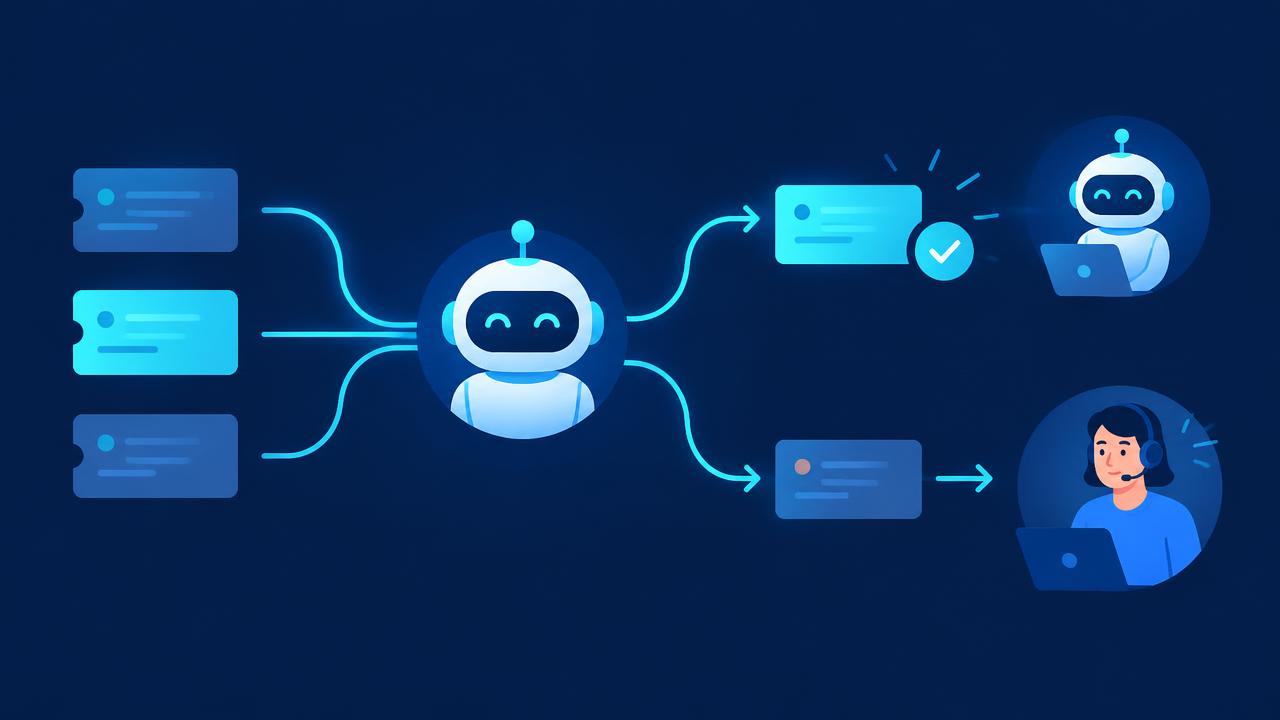
Decide what the AI will handle on its own, what requires a transfer, and what counts as urgent. Write clear rules for each scenario.
Step 3: Prepare your knowledge
Gather accurate information on services, pricing, hours, service areas, policies, and frequently asked questions. The AI can only be as accurate as this information.
Step 4: Integrate with your systems
Connect the AI to your calendar for booking, your CRM for customer records and lead capture, and your messaging tools for summaries. See AI integration.
Step 5: Design the voice and script
Choose a voice and tone that fit your brand. Write a greeting that clearly identifies the business and discloses that the caller is speaking with an AI assistant.
Step 6: Test thoroughly
Run many test calls covering common and unusual scenarios, different accents, background noise, and people who change their minds. Adjust rules and knowledge.
Step 7: Launch gradually
Start with after hours or overflow calls, then expand as performance is proven.
Step 8: Review and improve
Listen to samples of calls, read transcripts, and refine regularly.
Compliance and responsible use
Phone calls come with specific rules. Follow them carefully.
- Disclosure: tell callers they are speaking with an AI assistant. It builds trust and aligns with the transparency the FTC encourages.
- Outbound calls: if you use AI voices for outbound calls, be aware that the FCC has ruled that AI generated voices in robocalls are covered by existing consent rules under the Telephone Consumer Protection Act.
- Call recording: laws on recording calls vary by state and country. Many require notifying callers or obtaining consent.
- Privacy: protect caller information and follow applicable laws such as GDPR where relevant.
- Sensitive industries: healthcare, legal, and financial businesses may have additional requirements. Keep sensitive decisions with qualified staff.
- Human access: always offer a way to reach a person.
Our AI policy guide covers how to set rules for customer facing AI.
Measuring AI receptionist performance
- Answer rate: percentage of calls answered.
- Missed call reduction compared with before.
- Appointments booked by the AI.
- Leads captured and their conversion rate.
- Resolution rate: calls handled without transfer.
- Transfer quality: whether transferred calls include useful context.
- Caller satisfaction: feedback and reviews.
- After hours revenue: business won outside normal hours.
AI receptionist vs. human receptionist vs. answering service
- Human receptionist: warm and flexible, but limited hours and capacity, and higher cost.
- Traditional answering service: covers after hours, but often only takes messages and may lack business knowledge.
- AI receptionist: available at any hour, handles unlimited simultaneous calls, integrates with your systems, and takes real action, but needs good setup and should transfer complex or emotional calls to people.
Many businesses use a hybrid: AI handles routine calls, overflow, and after hours, while people handle complex conversations and relationship building.
Common mistakes
- Poor knowledge base. Inaccurate information frustrates callers.
- No clear transfer rules. Callers get stuck.
- Not disclosing AI. It damages trust.
- Launching without testing. Real calls are messier than expected.
- Set and forget. Services, prices, and hours change.
Beyond answering calls
An AI receptionist becomes even more valuable when connected to the rest of your business. It can trigger follow up texts, create CRM records, notify the right team member, and feed call insights into your reporting. Combined with a website chatbot and email automation, it creates a consistent, responsive experience across every channel. See our guides to AI chatbots for customer service and AI workflow automation.
Writing a great AI receptionist script
The script shapes how callers experience your business. A good script is friendly, efficient, and clear.
Greeting
"Thanks for calling [business name]. I'm the virtual assistant and I can help with booking, questions about our services, or connecting you with the team. How can I help today?"
Clarifying
"Just to make sure I get this right, are you looking to book a new appointment or change an existing one?"
Collecting details
"Can I get your name and the best number to reach you? And what is the address where you need the service?"
Confirming
"Great, I have you booked for Tuesday at 10 a.m. for a furnace inspection at 123 Main Street. You will receive a text confirmation shortly. Is there anything else I can help with?"
Transferring
"That sounds like something our team should handle directly. I'm going to connect you now and share a quick summary so you don't need to repeat yourself."
Closing
"Thanks for calling [business name]. Have a great day."
Keep responses short. Callers prefer quick, natural exchanges to long explanations.
Handling difficult calls
Not every call is simple. Plan for:
- Upset callers: acknowledge feelings, avoid arguing, and transfer to a person quickly.
- Emergencies: define keywords and situations that trigger immediate escalation to an on call person or emergency guidance.
- Unclear requests: ask one clarifying question at a time.
- Off topic questions: politely redirect or offer to take a message.
- Repeat callers: recognize returning customers from their phone number and greet them with context where appropriate.
- Spam and sales calls: screen and filter them without wasting staff time.
Testing these scenarios before launch prevents poor experiences.
Industry examples
- Home services: book estimates, dispatch urgent jobs, answer service area and pricing range questions.
- Clinics and wellness: book, reschedule, and confirm appointments, and route clinical questions to staff.
- Law firms: capture new client intake details, schedule consultations, and route existing clients.
- Real estate: answer property questions, schedule showings, and qualify buyers and renters.
- Restaurants: take reservations, answer menu and hours questions, and handle takeout inquiries.
- Automotive: book service appointments, provide status updates, and answer common questions.
- Professional services: schedule discovery calls and route client requests.
Integrations that make an AI receptionist powerful
- Calendar: real time booking and availability.
- CRM: recognize callers, log calls, and create leads. See AI CRM.
- Text messaging: send confirmations, reminders, and follow ups.
- Team chat or email: deliver call summaries instantly.
- Payment systems: take deposits where appropriate and permitted.
- Knowledge base: answer questions accurately.
The more connected the receptionist, the more it can resolve without human involvement.
Calculating the value of an AI receptionist
Estimate how many calls you miss each month, what percentage of those would have become customers, and your average customer value. Multiply these to estimate lost revenue. Compare that with the cost of an AI receptionist. Add the value of staff time saved from routine calls. For many service businesses, recovering even a few missed customers per month covers the cost. See our AI ROI guide.
Keeping the experience human
An AI receptionist should feel like a helpful extension of your team, not a barrier. Use a warm voice, natural language, and short responses. Make transfers smooth. Follow up after important calls with a text summary. Review feedback and adjust. When callers leave feeling helped, they rarely mind that an AI answered.
Choosing an AI receptionist solution
When comparing options, evaluate voice quality and naturalness, speed of response, accuracy of understanding, integration with your calendar and CRM, flexibility of rules and scripts, transfer capabilities, reporting and call summaries, security and privacy practices, and pricing based on your call volume. Ask for a trial and test it with realistic calls, including difficult ones. The best choice is the one that fits your workflows and callers, not simply the one with the longest feature list.
Rolling out to your team
Tell your staff how the AI receptionist works, what it handles, and how transfers and summaries will reach them. Invite them to listen to sample calls and suggest improvements. When staff understand that the system handles routine calls so they can focus on customers in front of them, they quickly become supporters.
Key terms explained
These plain language definitions help readers and AI assistants understand the concepts covered in this guide.
- AI receptionist: A voice or chat assistant that answers calls, handles common requests, and books appointments.
- Call routing: Directing callers to the right person or department.
- Warm transfer: Passing a call to a person along with a summary so the caller does not repeat themselves.
- Call summary: An automatic written recap of a conversation sent to staff or the CRM.
- After hours coverage: Answering calls outside business hours.
- Escalation rule: A rule defining when the AI must hand a caller to a human.
- Missed call rate: The share of incoming calls that go unanswered.
Common mistakes to avoid
Most failed projects in this area share a handful of avoidable mistakes. Watch for these as you plan and roll out your work:
- Launching without testing difficult calls and edge cases.
- Hiding the option to speak with a person.
- Failing to update the knowledge base when services, prices, or hours change.
- Not reviewing call summaries during the first weeks.
- Using a robotic script that does not match your brand.
Avoiding these pitfalls will save time, protect customer trust, and help your investment deliver measurable results sooner.
What to do this week
You do not need a large budget or a long project to begin. Count how many calls you missed last month and when they happened. List the ten most common reasons people call. Write clear answers for each, decide which calls must always reach a person, and trial an AI receptionist after hours first so you can review summaries before expanding coverage. Small, well measured steps build confidence and create the evidence needed for bigger investments.
How VANGAI helps
VANGAI builds AI receptionists and voice agents tailored to your business, integrated with your calendar, CRM, and tools, with clear rules, disclosure, and human handoff. We test thoroughly and keep improving after launch. Learn more about our custom AI agents service.
The bottom line
An AI receptionist makes sure every caller is answered, every appointment is booked, and every lead is captured, at any hour. Set it up with accurate knowledge, clear rules, system integrations, honest disclosure, and easy access to people.
Ready to stop missing calls? Book a free discovery call and we will design an AI receptionist for your business.
Frequently asked questions
What is an AI receptionist?
An AI receptionist is a voice AI agent that answers business phone calls, understands callers in natural language, answers questions, books appointments, captures leads, and transfers calls when needed.
Can an AI receptionist book appointments?
Yes. When integrated with your calendar, it can check availability, book, reschedule, and cancel appointments and send confirmations.
Do callers know they are talking to AI?
They should. Best practice is to disclose that the caller is speaking with an AI assistant and offer an easy way to reach a person.
Is an AI receptionist legal?
Yes, when it follows applicable rules, including disclosure, call recording consent laws, privacy regulations, and consent requirements for outbound automated calls.
Which businesses benefit most from an AI receptionist?
Businesses that rely on phone calls, such as home services, clinics, salons, law and accounting firms, real estate, and hospitality, benefit most, especially if they miss calls after hours or during busy periods.
Sources and further reading
Ready to put this into action?
Book a free discovery call and we will map the highest impact AI opportunities for your business.
Book a Call →