AI Chatbot for Customer Service: The Complete Guide to Faster, Better Support
How an AI chatbot for customer service works, what it should and should not handle, how to launch one without hurting customer experience, and how to measure ROI.
By the VANGAI team · · 12 min read
Key takeaways
- An AI chatbot for customer service uses a language model grounded in your own knowledge base to answer questions and resolve routine requests around the clock.
- Modern AI chatbots understand natural language, look up customer data, take actions, and hand off to humans with a full summary.
- The biggest wins are instant responses, lower ticket volume for your team, and consistent answers at any hour.
- Success depends on clean knowledge content, clear escalation rules, honest disclosure, and continuous improvement.
What is an AI chatbot for customer service?
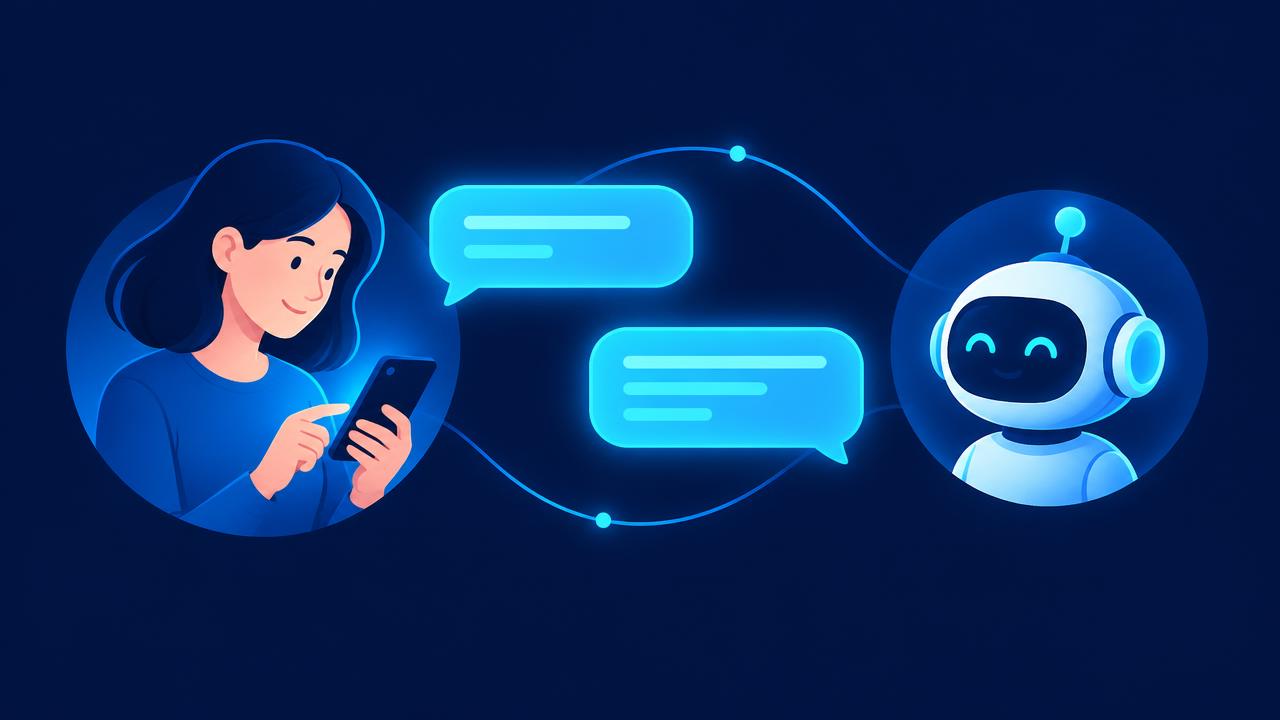
An AI chatbot for customer service is a virtual assistant that uses artificial intelligence to understand customer questions in everyday language and respond with accurate, helpful answers. Modern versions go beyond answering. They can look up an order, reschedule an appointment, process a simple return, or collect details and pass the case to a human agent.
The difference from older chatbots is significant. Early bots relied on decision trees and keyword matching, which frustrated customers the moment they phrased something unexpectedly. Today's AI chatbots are powered by large language models grounded in your own help content, policies, and systems, so they understand intent and reply naturally.
Why customer expectations make AI support essential
Customers expect fast, accurate help on their schedule, not yours. Zendesk's Customer Experience Trends research consistently shows that customers value speed and increasingly expect AI powered service experiences. Salesforce's State of Service report similarly finds service leaders investing in AI to keep up with rising case volumes.
For a small or midsize business, the math is simple. You cannot staff a support desk around the clock, but questions arrive at all hours. An AI chatbot closes that gap.
Key benefits of AI chatbots in customer service
Instant responses, any time
Customers get an answer in seconds, including nights, weekends, and holidays. Faster answers reduce abandoned carts, missed bookings, and frustrated reviews.
Lower ticket volume for your team
A large share of support questions are repetitive: order status, opening hours, pricing, password resets, return policies. When the chatbot resolves these, your people spend time on complex, high value conversations.
Consistent, accurate answers
Every customer gets the same correct policy information, no matter who is on shift or how busy it is.
Scale without proportional hiring
Seasonal spikes and growth no longer require an immediate jump in headcount.
Better data and insight
Every conversation reveals what customers are confused about. Those insights improve your website, products, and documentation.
Multilingual support
Modern language models can respond in many languages, opening new markets without hiring a multilingual team on day one.
What an AI chatbot should handle, and what it should not
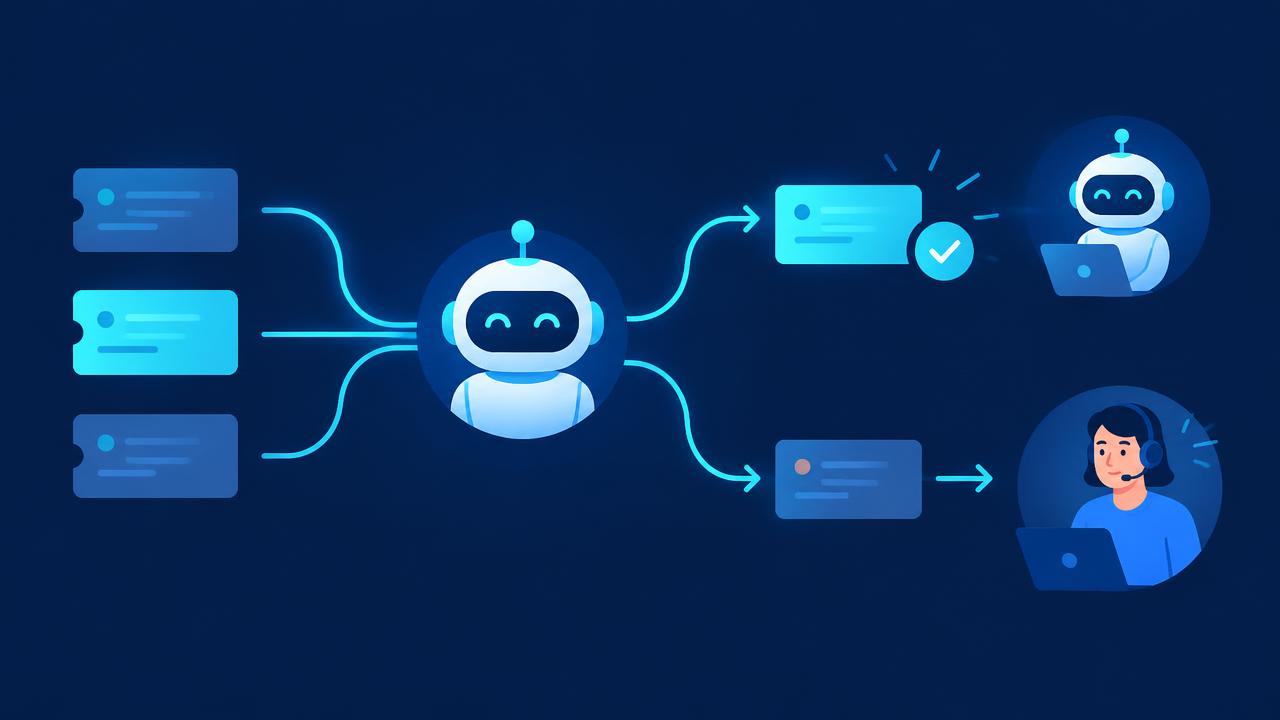
The most successful deployments are clear about boundaries.
Great fits for AI:
- Frequently asked questions about products, services, policies, and hours.
- Order, shipment, and booking status lookups.
- Appointment scheduling and rescheduling.
- Account basics such as updating contact details.
- Simple returns and exchanges within clear policy rules.
- Collecting information before handing a case to a person.
- Guiding customers to the right product or plan.
Keep humans in charge of:
- Emotional or sensitive situations such as complaints, bereavement, or disputes.
- Complex troubleshooting that requires investigation.
- Exceptions to policy, large refunds, and legal matters.
- High value sales conversations that benefit from a personal touch.
The goal is not to replace your team. It is to make sure every customer reaches the right help as quickly as possible.
How modern AI support chatbots work
Knowledge grounding
The chatbot is connected to your approved content: help articles, policy documents, product catalogs, and past resolved tickets. When a question arrives, it retrieves the most relevant information and uses it to form an answer. This technique, often called retrieval augmented generation, keeps responses accurate and on brand.
System integration
To go beyond answering, the chatbot connects to your order system, booking calendar, CRM, or help desk. With the right permissions, it can check an order or reschedule an appointment directly. Our AI integration service focuses on exactly these connections.
Intent detection and routing
The chatbot recognizes what the customer wants and how urgent or sensitive it is. Routine requests are resolved. Complex ones are routed to the right team.
Human handoff
When escalation is needed, the chatbot passes the full conversation and a clear summary to a human agent, so the customer never has to repeat themselves. This is one of the most important features for customer satisfaction.
Learning loop
Conversations are reviewed to find unanswered questions, weak answers, and new topics. The knowledge base and rules are updated regularly.
Under the hood, many of these capabilities come from AI agents. Our guide to AI agents for business explains how they plan and act.
How to implement an AI chatbot for customer service
Step 1: Analyze your support data
Review recent tickets, emails, and chats. Group them by topic and measure volume, handling time, and resolution rate. This tells you which questions the chatbot should handle first.
Step 2: Prepare your knowledge base
The chatbot is only as good as the content behind it. Update outdated articles, fill gaps for common questions, and write clear policy statements. This step alone often improves support quality even before launch.
Step 3: Define scope and escalation rules
Decide what the chatbot will do, what it will not do, and exactly when it hands off. Define how customers can reach a human at any time.
Step 4: Set the tone of voice
Your chatbot represents your brand. Define its personality, formality, and how it handles uncertainty. It should admit when it does not know rather than guess.
Step 5: Integrate with your systems
Connect the chatbot to your help desk, CRM, order system, or calendar so it can take useful actions with appropriate permissions.
Step 6: Test with real conversations
Run the chatbot against a large set of real historical questions, including edge cases and difficult phrasing. Review answers for accuracy, tone, and correct escalation.
Step 7: Launch gradually
Start on one channel or a portion of traffic. Monitor closely, fix issues quickly, and expand as quality is proven.
Step 8: Measure and improve continuously
Review metrics weekly at first, then monthly. Treat the chatbot as a product that keeps getting better.
Metrics that prove your chatbot is working
- Resolution rate: the share of conversations fully resolved without a human.
- First response time: how quickly customers receive an initial answer.
- Customer satisfaction (CSAT): ratings collected at the end of chatbot conversations.
- Escalation quality: whether handed off cases include the right context.
- Deflected ticket volume: how many tickets your team no longer needs to handle.
- Accuracy: a regular sample of conversations reviewed for correctness.
- Business outcomes: bookings, recovered carts, or upgrades influenced by the chatbot.
Best practices for a great customer experience
- Be transparent. Tell customers they are talking to an AI assistant. Honesty builds trust and is increasingly expected by regulators such as the FTC.
- Always offer a human option. Never trap customers in a loop.
- Keep answers short and clear. Link to detailed articles when needed.
- Ground every answer in approved content. Avoid letting the model improvise on policies or prices.
- Protect personal data. Verify identity before sharing account details, limit data retention, and follow privacy rules in your region. The NIST AI Risk Management Framework offers a strong structure for responsible deployment.
- Defend against misuse. Follow guidance such as the OWASP Top 10 for LLM Applications to guard against prompt injection and data leakage.
- Review conversations regularly. Real customer language reveals what to improve next.
Common mistakes to avoid
- Launching with a thin knowledge base. The chatbot will guess or fail, and customers will lose trust.
- Hiding the human option. Nothing damages satisfaction faster.
- Setting and forgetting. Products, prices, and policies change. So must your chatbot.
- Measuring only deflection. A deflected ticket that leaves the customer unhappy is not a win. Balance volume metrics with satisfaction.
- Over automating sensitive cases. Some moments call for empathy that only a person can offer.
AI chatbot costs and ROI
Costs typically include setup and integration, content preparation, and ongoing platform and AI usage fees. The return comes from reduced handling time, fewer repetitive tickets, faster responses that protect revenue, and the ability to grow without adding support staff at the same pace.
To estimate ROI, multiply the number of routine tickets per month by your average handling cost, apply a realistic resolution rate, and compare the result with the total running cost. Add the harder to measure value of after hours coverage and improved customer loyalty.
Beyond the chatbot: connecting support to the rest of your business
A support chatbot becomes even more valuable when it connects to sales and operations. It can identify upsell opportunities, feed product feedback to your team, and trigger follow up workflows automatically. Learn how this fits into a broader automation plan in our AI automation agency guide and our AI automation and workflow service.
Writing a knowledge base your chatbot can actually use
Because the chatbot relies on your content, the way that content is written makes a big difference. Many help centers were written for humans skimming a page, not for an AI retrieving precise answers. A few simple habits improve results dramatically.
- One topic per article. Short, focused articles are easier to retrieve accurately than long pages covering many subjects.
- Lead with the answer. Put the direct answer in the first sentence, then add detail. This mirrors how customers ask questions.
- Use the words customers use. If customers say "cancel my plan" and your article says "subscription termination," add both phrases.
- State policies explicitly. Include exact time limits, conditions, and exceptions. Vague language leads to vague answers.
- Date and own every article. Assign an owner and review date so content stays current as products and prices change.
- Remove contradictions. Two articles with different return windows will confuse both the chatbot and your customers.
A useful side effect is that a clearer knowledge base also helps human agents and customers who prefer to self serve. Many businesses find that the preparation work for an AI chatbot improves their overall support quality before the chatbot even launches.
Designing the conversation experience
A great support chatbot feels helpful rather than robotic. Pay attention to a few design details.
The greeting
Open with a short, friendly message that explains what the assistant can help with and how to reach a person. Offer a few common topics as quick buttons for customers who prefer to click.
Clarifying questions
When a request is ambiguous, the chatbot should ask one focused question instead of guessing. For example, "Is this about an order you have already placed, or a new purchase?"
Confirmation before action
Before changing a booking or starting a return, the chatbot should summarize what it is about to do and ask for confirmation. This prevents mistakes and reassures customers.
Graceful failure
When the chatbot cannot help, it should say so plainly and move the customer to a human or a clear next step. A polite, honest handoff is far better than a confident wrong answer.
Closing the loop
At the end of a conversation, confirm the outcome, share any reference numbers, and invite feedback. Those ratings feed directly into your improvement process.
Industry examples
- Ecommerce: order tracking, returns, sizing questions, and product recommendations based on catalog data.
- Healthcare and clinics: appointment booking, reminders, directions, and insurance document collection, with clinical questions routed to staff.
- Home services: quote requests, scheduling, technician arrival updates, and maintenance plan questions.
- Software and SaaS: account setup, billing questions, feature guidance, and troubleshooting common errors.
- Hospitality: reservations, amenities, check in details, and local recommendations.
- Professional services: intake questions, document collection, and meeting scheduling.
In each industry, the pattern is the same: resolve the routine instantly, route the complex quickly, and keep the customer informed throughout.
How VANGAI builds customer service chatbots
VANGAI designs AI support assistants that are grounded in your content, connected to your systems, and built with clear escalation and privacy rules. We analyze your support data, prepare your knowledge base, build and test the assistant, and keep improving it after launch. See our custom AI agents service for more detail.
A 30 day launch plan for your support chatbot
If you want a practical timeline, here is a simple plan many businesses can follow.
Week 1: Understand the demand
Export recent tickets and chats, group them by topic, and pick the ten to twenty questions that make up the largest share of volume. Agree on success metrics and escalation rules.
Week 2: Prepare content and connections
Rewrite or create knowledge base articles for the chosen topics. Connect the chatbot to your help desk and, if needed, your order or booking system with limited permissions.
Week 3: Test thoroughly
Run hundreds of real historical questions through the chatbot. Review accuracy, tone, and handoff behavior. Fix gaps in content and rules, then test again.
Week 4: Launch and learn
Go live on one channel, monitor every conversation closely for the first few days, and hold a short review at the end of the week. Expand topics and channels once quality is proven.
After the first month, move to a regular rhythm of weekly reviews and monthly improvements. Each cycle should add new topics, refine answers, and raise the resolution rate while keeping customer satisfaction high.
How AI chatbots support your human team
One of the most overlooked benefits of an AI chatbot is what it does for the people on your support team. When routine questions are handled automatically, agents spend their time on meaningful conversations where empathy and expertise matter. Many teams also use the same AI technology behind the scenes to suggest replies, summarize long conversation histories, and surface relevant articles while an agent is typing. The result is faster, more consistent service and a support job that is more rewarding to do.
The bottom line
An AI chatbot for customer service can transform support from a bottleneck into a competitive advantage. Instant answers, consistent quality, and round the clock availability delight customers, while your team focuses on the conversations where people matter most. The key is thoughtful design: strong content, clear boundaries, easy human handoff, and continuous improvement.
Want to see how an AI support assistant would work for your business? Book a free discovery call and we will walk through it with you.
Frequently asked questions
Can an AI chatbot replace customer service agents?
An AI chatbot handles routine, repetitive requests so human agents can focus on complex, sensitive, and high value conversations. Most businesses get the best results with a hybrid model that combines AI speed with human judgment.
How accurate are AI customer service chatbots?
Accuracy depends on the quality of the knowledge base and how well the chatbot is grounded in it. With approved content, clear rules, testing on real conversations, and regular review, AI chatbots can answer routine questions reliably.
How long does it take to set up an AI chatbot for customer service?
A focused chatbot covering common questions can often launch within a few weeks. Deeper integrations with order systems, CRMs, and booking tools add time for testing and permissions.
Should I tell customers they are talking to an AI?
Yes. Being transparent builds trust, and regulators increasingly expect it. Always make it easy for customers to reach a human.
What channels can an AI support chatbot work on?
Common channels include website chat, email, messaging apps, SMS, and social media inboxes. Many businesses start with website chat and expand once performance is proven.
Sources and further reading
Ready to put this into action?
Book a free discovery call and we will map the highest impact AI opportunities for your business.
Book a Call →