AI for Healthcare Verticals: How VANGAI Can Support Patient Access and Administrative Workflows
A practical guide to AI and CRM automation for primary care, specialty clinics, rehabilitation, and other healthcare businesses, with privacy safeguards.
By the VANGAI team · · 14 min read

Key takeaways
- Healthcare AI is not one universal workflow: primary care, specialty care, therapy, and other settings need distinct administrative rules.
- VANGAI can be evaluated for CRM configuration, voice agents, communication routing, and supported workflow connections.
- Start with public information or a limited administrative process rather than automating clinical decisions.
- A BAA, vendor review, and risk analysis may be required for protected health information; no blanket compliance claim is made here.
- Assess reliability, patient access, staff effort, and privacy before expanding a pilot.
What does AI for healthcare mean in an administrative setting?
AI for healthcare can mean many different things, from medical imaging research to administrative communication. This article focuses only on the latter: helping an organization answer approved questions, organize appointment requests, assign follow-up tasks, and connect suitable workflows. It does not recommend an AI system for diagnosis, treatment selection, clinical triage, or emergency assessment.
Healthcare organizations often share a coordination problem even when their services differ. A caller asks how to become a new patient, a referral waits for a callback, and a cancellation needs staff attention. Information moves between phones, forms, calendars, and inboxes, but ownership may be unclear. Automation is useful only when it improves that process safely.
The objective is not to place a chatbot in every conversation. It is to identify which routine steps can be supported, which systems remain authoritative, and where a person must take over. The examples below are implementation ideas, not documented VANGAI customer outcomes or claims of universal software compatibility.
Why healthcare verticals need different AI rules
A primary care office, a physical therapy center, and a behavioral health practice may all schedule appointments. That does not mean they should share the same scheduling assistant. Visit types, referral requirements, patient populations, access policies, and communication sensitivity can differ substantially.
For example, a routine therapy appointment may depend on a plan already established by a clinician. A specialty visit may require referral review before booking. A behavioral health request may involve particularly sensitive context and specific crisis procedures. The assistant should not infer eligibility or urgency from a general conversation.
VANGAI’s CRM-centered approach can organize an approved administrative process around stages, ownership, and next actions. But each vertical needs its own reviewed instructions, data boundaries, and escalation rules. A generic assistant trained on broad healthcare content is not a substitute for that design work.
Seven healthcare settings and practical administrative starting points
1. Primary care and independent medical offices
Primary care teams receive recurring questions about hours, locations, new-patient policies, appointment requests, and how to contact the office. A public-information assistant can help people find the right administrative next step without requesting symptoms or an entire medical history.
If scheduling is considered, the office should define eligible visit types and whether staff approval is necessary. The assistant must not use an ordinary open slot for a request requiring a different process. Medication questions, symptom descriptions, and requests for medical advice should follow clinician-approved routing rather than generate a general AI answer.
A useful first measure is how often people reach the correct contact destination. Another is whether staff receive well-assigned tasks instead of scattered messages. Those measures are more informative than counting how many conversations an assistant handles without a person.
2. Specialty clinics
Specialty practices may receive referrals, outside records, and questions about eligibility or preparation. Automation can be evaluated for explaining the approved referral process, identifying an administrative next step, and assigning a request to the correct coordinator.
It should not independently decide whether a referral is medically appropriate. Nor should it interpret external records or promise a consultation before the clinic’s requirements are satisfied. Referral status updates may involve protected health information and need a secure, authorized communication design.
The most suitable first workflow might be a staff-facing task process rather than a patient-facing agent. For example, an approved status change could create a coordinator task, with clinical records remaining in the existing system. Confirm that the connection supports this behavior before promising it.
3. Physical therapy and rehabilitation
Rehabilitation centers coordinate appointment series, therapist availability, cancellations, and patient questions about attendance policies. Administrative automation can help explain those policies, route rescheduling requests, and keep permitted workflow statuses organized.
Scheduling rules should respect clinician instructions, session types, and the center’s approved process. An assistant should not recommend exercise changes, assess pain, determine treatment frequency, or advise that a patient discontinue care. Those are not administrative decisions.
For a pilot, select a clear task such as routing cancellation requests to the scheduling team. Review completion time and unresolved requests. Do not assume a reminder program improves recovery or adherence simply because it sends more messages.
4. Behavioral health practices
Behavioral health requires especially careful boundaries around confidentiality, intake, and urgent requests. A public assistant might explain business hours and the approved appointment-request path. It should not attempt counseling, crisis assessment, or a clinical suitability decision.
The practice should approve language for emergencies and define a direct human contact option. Any automated process must make its limitations clear rather than create the impression of continuous clinical monitoring. Applicable state rules and specialized privacy requirements may impose obligations beyond a general HIPAA checklist.
Some behavioral health workflows are not appropriate for a general CRM or chat channel. Start with a privacy and safety review, not a feature demonstration. If the required safeguards cannot be established, keep the assistant limited to public information or do not use it for that process.
5. Dermatology and other appointment-based specialty offices
These offices often handle questions about available services, new-patient appointments, office policies, and preparation instructions. An assistant can use approved public material to explain the administrative process and provide the correct destination for a request.
It should not diagnose a skin condition from a photograph, recommend a treatment, or guarantee that a service is suitable. Clinician-approved education is different from personalized advice. Financial and insurance questions may also require staff verification rather than an automated estimate.
Where a practice offers both medical and elective services, distinguish the workflows clearly. Communication permissions, intake requirements, appointment types, and information sensitivity may differ. A single broad campaign should not quietly combine all patient categories.
6. Diagnostic and outpatient testing centers
Testing centers can have detailed rules about scheduling, orders, eligibility, and preparation. An administrative assistant may help people find published instructions or contact the scheduling team, but it should not interpret results or make decisions about whether a test is medically needed.
Use exact approved preparation material and a human path for exceptions. An agent should not improvise when a patient asks how medications or an existing condition affect preparation. Those questions need the center’s professional process.
Before offering booking, confirm prerequisites and available integrations. A general calendar connection does not establish access to the diagnostic scheduling system. Request receipt, pending review, and confirmed appointment status must remain distinct.
7. Home health and multi-location healthcare groups
Home health organizations and larger groups face coordination across locations, teams, and service areas. An administrative workflow can potentially route an inquiry to the appropriate office, explain public service coverage, and assign a callback owner.
Service eligibility, clinician assignments, and care planning should remain with authorized people and systems. Avoid storing visit addresses, care details, or family conversations in an unreviewed general-purpose tool. Multi-location access should be based on actual job responsibilities, not convenience.
For larger groups, establish who owns each location’s content and who approves changes. A shared platform is useful only if it preserves the differences that matter. Centralized automation should not send a patient to the wrong location or expose one location’s information to unrelated staff.
What VANGAI brings to the administrative workflow
VANGAI offers a CRM and AI-agent platform as well as done-for-you implementation services. Relevant building blocks include voice agents, appointment workflows, communication tools, task coordination, and supported integrations. The healthcare-specific suitability of each block must be evaluated separately.
An AI strategy engagement can help narrow the scope before configuring a system. Instead of starting with every feature, identify one administrative pain point, the people involved, the data it requires, and the current tools. Then decide whether automation is appropriate and whether the required connections exist.
The workflow automation service can be considered for approved status changes, assignments, and follow-up steps. Custom AI agents can be evaluated for questions grounded in reviewed content. These are service capabilities, not a claim that VANGAI automatically integrates with every EHR or is approved for every type of patient information.
CRM versus EHR: keep the roles clear
An electronic health record supports clinical documentation and related care processes. A CRM organizes relationship and workflow activity. Confusing those roles can create duplicate records, inconsistent status information, and access problems.
In an approved healthcare design, the EHR or other designated clinical system remains authoritative for clinical information. A CRM might contain limited administrative statuses or tasks if the privacy review permits them. It should not become a second, ungoverned patient chart merely because an integration can copy data.
For each proposed connection, identify which system creates the information, which system may update it, and how discrepancies are resolved. Confirm patient identification and duplicate handling. Also specify the behavior during an outage: the assistant should not pretend that a failed update or unavailable calendar is working.
Compatibility depends on the specific vendor, interfaces, permissions, contracts, and implementation scope. If the connection cannot be verified, use an approved manual handoff or reconsider the workflow. Do not promise direct booking or record synchronization on the basis of a generic integration feature.
!Healthcare administrative workflow
Patient privacy is a design requirement, not a label
Healthcare organizations subject to HIPAA must evaluate tools that create, receive, maintain, or transmit protected health information. Even an appointment request can contain sensitive information. Calls, recordings, transcripts, reminders, and support logs must be considered in the data map.
HHS guidance on cloud computing explains that a provider maintaining electronic protected health information may be a business associate even when the information is encrypted and the provider cannot read it. Merely choosing encrypted storage does not settle the agreement question.
HHS also explains the conditions for using cloud services to process electronic protected health information. An appropriate business associate agreement and compliance with the HIPAA Rules are required where applicable. The organization still needs to understand the service and perform its risk analysis.
This article does not certify VANGAI, an AI model provider, a voice service, or a proposed configuration as compliant. Before deployment, verify required agreements, subcontractors, security controls, access permissions, retention, deletion, incident responsibilities, and permitted data uses. Your qualified privacy and legal advisors should review the actual workflow.
Public-information automation can be a lower-complexity starting point, but public chat is not automatically free of privacy concerns. Someone may voluntarily disclose a health condition. Decide in advance how the assistant discourages unnecessary disclosure and directs sensitive matters to an approved channel.
Communication consent and patient preferences
A healthcare organization’s communication program must distinguish appointment-related messages, administrative follow-up, and marketing. Do not assume permission for one category authorizes every channel or future campaign. Applicable privacy rules, texting and calling requirements, state laws, and patient preferences should be reviewed for the specific program.
Messages should explain the relevant next action without unnecessarily revealing care details on a lock screen or shared device. Confirm who monitors replies, how communication preferences are updated, and which events stop an automated sequence. A canceled appointment should not trigger a confirmation for a visit that no longer exists.
VANGAI’s own website SMS opt-in is for messages from VANGAI. It is not a healthcare practice’s patient consent form and should not be treated as permission for a separate patient messaging workflow. Configure each organization’s disclosures and records according to its reviewed requirements.
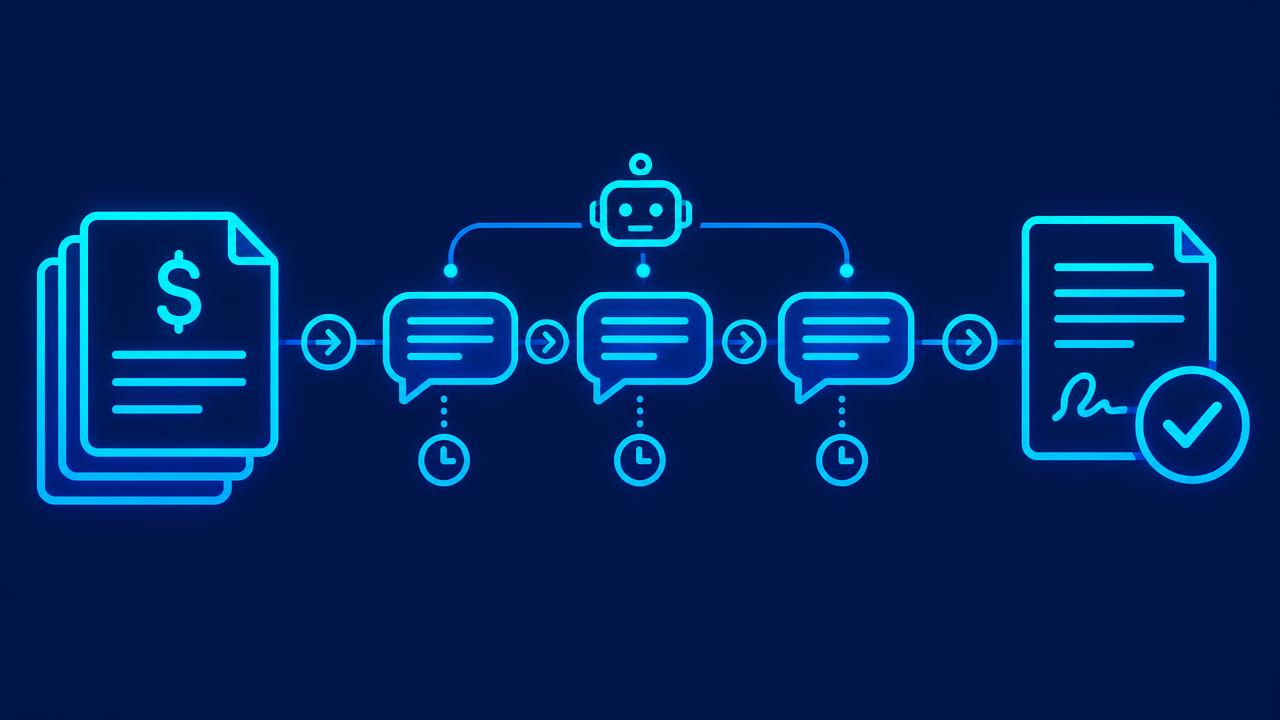
An illustrative referral-to-appointment workflow
Imagine a specialty clinic evaluating administrative coordination. A visitor asks how to request an appointment. The assistant explains the clinic’s public referral instructions and directs the visitor to an approved secure channel. It does not collect an entire medical history in general chat or decide whether the referral qualifies.
Once authorized staff review the request, an approved workflow may assign a scheduling task. If a supported connection exists, status can be reflected in the permitted administrative workspace. If no connection exists, staff use the established manual process. The system should never invent a status to make the experience look complete.
The coordinator contacts the patient, confirms the next step, and uses the organization’s approved communication tools for reminders. Questions about symptoms, treatment, or test results remain with clinical staff. A failure or exception becomes a visible task instead of disappearing into an automation log.
This example is not a client case study. It demonstrates the decision boundaries that make a workflow worth testing. The clinic would need its own privacy review, baseline measures, and pilot evidence before claiming improved access or reduced workload.
How to measure whether administrative AI helps
Pick measures that reflect quality as well as volume. Response time, correct routing, scheduling accuracy, unresolved requests, staff correction effort, and patient feedback can reveal whether the process is useful. Conversation count alone cannot show that a patient received appropriate help.
Compare a defined period before and after a limited pilot while acknowledging changes in staffing, demand, and appointment availability. Review exceptions and complaints alongside successful requests. If administrative work moves from telephone calls to fixing AI mistakes, apparent automation may not produce a real benefit.
For financial evaluation, separate released staff capacity from cash savings. Ten fewer hours of repetitive work do not necessarily mean ten fewer paid hours. Include setup, platform access, communication usage, integrations, ongoing review, and maintenance. VANGAI pricing for healthcare workflows is not specified here, so request a scoped quote rather than rely on an invented package price.
Do not claim that administrative automation improves clinical outcomes without suitable evidence. Patient access, attendance, staff workload, and clinical results are related but distinct measures. Be precise about what your pilot actually observed.
A rollout plan that starts with boundaries
Map the process: Choose one workflow and name its owner. Identify the relevant healthcare vertical, current systems, required information, and the human decision points. Write down what the assistant will not do as clearly as what it may do.
Review suitability: Confirm vendor relationships, agreements, data handling, security, and relevant laws. Verify the available integrations and organizational permissions. Do not use real patient records in a sales demonstration or initial configuration exercise.
Approve content and test: Use synthetic examples to test unanswered questions, unavailable appointments, duplicates, outages, and requests for a human. Have clinical and administrative reviewers check the appropriate boundaries. Test emergency routing against approved procedures without expecting the assistant to assess urgency.
Pilot and monitor: Launch with limited scope and a clear rollback path. Assign someone to review accuracy, exceptions, and feedback. Compare the agreed measures against the baseline. Expand only when the organization has evidence that the workflow is reliable and its privacy requirements are satisfied.
There is no universal launch timeline for healthcare. Integration complexity, vendor approvals, and privacy review may determine readiness more than the time needed to configure an agent. A cautious scope is preferable to a rushed deployment that staff cannot supervise.
Done-for-you or self-serve for a healthcare organization?
The done-for-you route is relevant when an organization wants help defining the workflow, configuring approved tools, and coordinating implementation. It still needs internal operational ownership and qualified review. Hiring an implementation partner does not transfer every healthcare responsibility to that partner.
The self-serve route can suit a team with an experienced internal owner and the capacity to maintain instructions, permissions, and quality checks. The VANGAI platform page explains the general capabilities. Access to a building tool does not establish that every healthcare use is supported or permitted.
Before choosing either route, ask about the exact workflow scope, data dependencies, system compatibility, support responsibilities, and exit options. The best solution may be a feature already available in your current healthcare software rather than a new integration. Evaluate the fit honestly.
The bottom line for healthcare businesses
Different healthcare verticals can benefit from clearer administrative coordination, but they should not be forced into the same automation template. Start with a narrow problem, preserve the authority of clinical systems, and make human escalation straightforward. Privacy and reliability belong in the initial design, not an afterthought.
VANGAI is worth evaluating when your organization needs a CRM-centered approach to approved communication and workflow tasks. Book a consultation to discuss the process, existing software, and review requirements. Describe the administrative bottleneck without sharing patient information, and use the conversation to determine whether a suitable implementation is possible.
Frequently asked questions
Which healthcare verticals can evaluate VANGAI?
Primary care, specialty practices, rehabilitation centers, behavioral health offices, and other healthcare businesses can assess administrative use cases. Suitability depends on the workflow, software compatibility, privacy obligations, and clinical boundaries. This is not a claim that every vertical or patient-data use is supported.
Can VANGAI integrate with our EHR?
Compatibility must be verified for the particular EHR, available interfaces, permissions, and contract requirements. General integration capabilities do not prove that a specific connection exists. The EHR should remain authoritative for clinical information, and unverified connections should not be presented as working integrations.
Can an AI healthcare assistant give medical advice?
The administrative workflows discussed here should not diagnose, recommend treatment, interpret results, or assess emergencies. Use clinician-approved escalation procedures and a clear human contact path. Clinical AI is a separate category that requires its own professional and regulatory evaluation.
Do healthcare AI tools need a business associate agreement?
Where a service is a business associate under HIPAA, an appropriate agreement is required. The organization must also review data flows, security controls, subcontractors, and risk management. A signed agreement alone does not establish that a particular workflow meets all obligations.
What is a sensible first healthcare AI pilot?
Begin with approved public information or a narrow administrative routing process. Use synthetic examples for testing, name a human owner, define escalation and rollback, and measure accuracy and staff effort. Review patient-data requirements before expanding into any workflow involving protected health information.
Sources and further reading
Ready to put this into action?
Book a free discovery call and we will map the highest impact AI opportunities for your business.
Book a Call →