Book More Appointments With AI: Turn Your Own Customer Inquiries Into Consultations
How VANGAI connects your incoming calls, forms, and customer messages to a unified CRM, faster responses, intake questions, and appointment booking.
By the VANGAI team · · 6 min read
Key takeaways
- AI can help respond to people who already contact your business through calls, website forms, and messages.
- VANGAI builds CRM-connected intake and booking workflows, not contact-list sourcing or resale services.
- Appointment availability, human handoffs, and communication permissions must be configured before launch.
- Measure response time, appointments booked, attendance, and staff time rather than message volume.
How can AI help your business book more appointments?
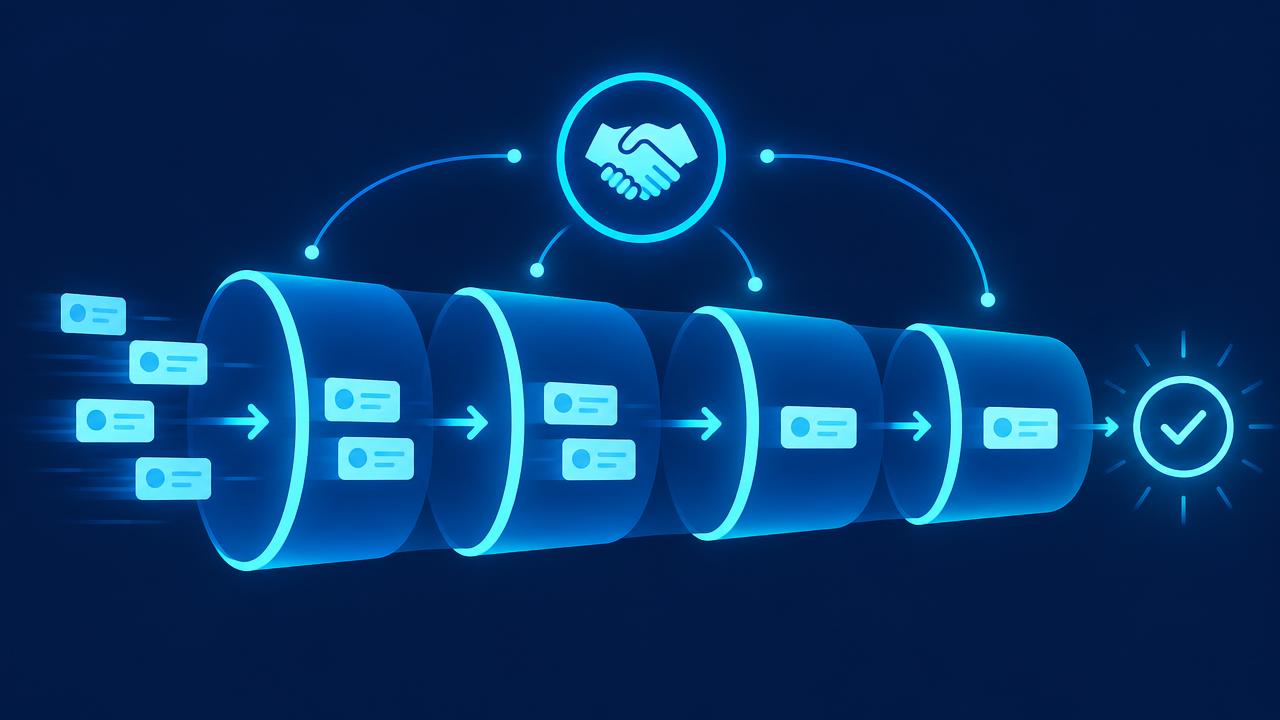
AI inquiry response connects the requests your business already receives to a consistent next step. When someone asks about a service, an assistant can acknowledge the request, answer questions using approved business information, collect relevant intake details, and offer an appointment. The conversation and booking remain connected in your CRM.
This distinction matters. A person who has contacted your company is asking for help. Your system should make that interaction easier, not introduce unrelated promotions or assume that an inquiry authorizes every type of future message.
Why timely responses matter
A potential customer may contact several businesses while comparing options. A slow reply can leave them uncertain about availability, pricing, or the next step. Research summarized by Harvard Business Review found a relationship between faster responses to online inquiries and qualification. That research is context, not a guaranteed result for any VANGAI implementation.
A helpful first response should answer the actual question and explain what happens next. Sometimes an appointment is appropriate. Sometimes the person needs a support answer, a document, or a callback from someone qualified to advise them. The system should recognize those differences instead of pushing everyone toward a calendar.
The building blocks of an inquiry-to-appointment workflow
1. Connect your own incoming channels
Website forms, incoming calls, email requests, and website chat can create or update a CRM record. Store where the request came from and what the person actually asked. Avoid duplicate records when the same person contacts you through more than one channel.
2. Respond with approved information
Give the assistant accurate service descriptions, business hours, scheduling rules, and answers to common questions. Define topics it must not answer. For legal, medical, financial, or other sensitive matters, route substantive advice to qualified staff.
3. Collect only the intake details you need
Ask concise questions related to the request: service needed, preferred appointment type, availability, and any essential location or project details. Do not ask for unnecessary sensitive information. Let visitors reach a person when automated questions do not fit their circumstances.
4. Offer real calendar availability
Connect the correct calendar and appointment type. Confirm time zones, duration, buffers, cancellation rules, and staff availability. If the integration cannot verify a time, offer a callback rather than claiming the appointment is confirmed.
5. Record the outcome
Save the conversation summary and next step in your CRM. Your team should see what was requested, what was answered, whether an appointment was booked, and anything requiring human attention. Read our AI CRM guide for the data foundation.

An example for a service business
The following is an illustrative workflow, not a customer-result claim:
- A visitor submits your website form asking about an estimate.
- The assistant acknowledges the request and explains the estimate process.
- It asks for the project details your team needs to assess the request.
- Where appropriate, it offers available estimate appointments.
- The visitor selects a time and receives the booking details through an authorized channel.
- Your CRM records the appointment and prepares a summary for your team.
- If the visitor asks a question outside the assistant’s scope, the conversation goes to a person.
The benefit is continuity. The customer does not repeat the same details, and staff do not manually move information between an inbox, spreadsheet, and calendar.
Useful applications across industries
- Home services: collect job requests and book estimates while technicians are on site.
- Professional services: organize consultation requests, intake questions, and meeting preparation.
- Dental and wellness practices: support administrative scheduling while routing clinical questions to staff.
- Real estate: respond to property inquiries and arrange requested showings.
- Automotive services: answer routine service questions and offer appointment times.
- Customer support teams: resolve routine requests or arrange a callback with the right specialist.
Our AI receptionist guide explains phone-based intake. Our AI appointment scheduling guide covers the booking layer.
Consent is separate from collecting an inquiry
A phone number supplied with a request does not automatically authorize recurring promotional texts. Record communication permissions for the specific sender, purpose, and channel. Keep appointment-related communication separate from marketing subscriptions. Honor opt-outs and use the rules applicable to your location and industry.
The FCC’s guidance on AI-generated voices explains why automated calling needs careful treatment. Email programs must also follow applicable requirements such as the CAN SPAM Act. Have your messaging provider and legal adviser review the actual workflow before production use.
What VANGAI builds
VANGAI maps how your business receives requests, configures a unified CRM, connects the relevant channels and calendar, and builds AI intake with clear boundaries. We help define the questions, booking rules, escalation paths, and reporting needed for your process.
Choose a done-for-you implementation when you want our team to build the system. Explore the self-serve platform when your team wants to configure its own CRM and agents. Feature availability and scope should be confirmed before committing.
What to measure
- First-response time: how long a customer waits for a meaningful answer.
- Appointments booked: how many incoming requests reach a scheduled next step.
- Attendance: how many confirmed appointments actually happen.
- Human handoff quality: whether your staff receive sufficient context.
- Staff time: how much administrative work the workflow removes.
- Customer experience: whether people receive accurate answers and can reach a person.
Compare these measures with your baseline. Faster responses alone do not prove more revenue, and booked appointments do not equal completed sales. Our AI ROI guide explains how to separate assumptions from measured outcomes.
Before launch
Test realistic requests, missing information, cancellations, duplicate forms, calendar outages, opt-outs, and requests to speak with a person. Start with a limited workflow and review conversations closely. Maintain an accessible manual fallback so an integration failure does not leave customers without help.
The bottom line
Book more appointments by making it easier for people who already contact your business to get answers and choose the right next step. Build on accurate information, connected CRM records, verified availability, appropriate permissions, and human oversight.
Book a free discovery call to discuss how VANGAI can connect your incoming inquiries to a better appointment experience.
Frequently asked questions
Can AI book appointments from my website inquiries?
Yes, when your form or chat is connected to an assistant, CRM, and calendar with defined appointment rules. Test availability, time zones, and human handoffs before launch.
Does VANGAI supply contact lists?
No. This offer is about handling the inquiries your own business receives and connecting them to intake, booking, and customer follow-up.
Does providing a phone number authorize marketing texts?
No. Communication permissions depend on the sender, purpose, channel, and applicable rules. Marketing consent must not be inferred from a general inquiry.
Can I keep people involved in the process?
Yes. Define when the assistant must transfer a conversation, request review, or arrange a callback. Staff should receive the request history and relevant intake details.
What results should I track?
Track first-response time, appointments booked, attendance, staff effort, and customer experience against a measured baseline. Results depend on your business and configuration.
Sources and further reading
Ready to put this into action?
Book a free discovery call and we will map the highest impact AI opportunities for your business.
Book a Call →