AI Agents for Business: What They Are, Use Cases, and How to Deploy Them
A practical guide to AI agents for business: how they work, the best use cases by department, risks to manage, and a step by step plan to deploy your first agent.
By the VANGAI team · · 13 min read
Key takeaways
- An AI agent is software that uses a language model to pursue a goal by planning steps, using tools, and adapting to results.
- Unlike a chatbot, an agent can take actions: search a database, update a CRM, send an email, or trigger a workflow.
- The best business use cases are research, lead qualification, customer support, operations, and internal knowledge.
- Start with a narrow, well defined agent, add guardrails and human approval, and measure outcomes before expanding.
What are AI agents?
An AI agent is a software system that uses a large language model to work toward a goal on its own. It can break a task into steps, decide which tools to use, take actions, check the results, and keep going until the job is done or it needs a human decision.
IBM defines AI agents as systems capable of autonomously performing tasks by designing their workflow and using available tools. Google Cloud describes them similarly, emphasizing reasoning, planning, and memory. The common thread is action: agents do not just answer, they act.
AI agents vs. chatbots vs. automation
These terms often get blurred, so here is a clear distinction.
- Chatbots respond to questions in conversation. They are reactive and typically limited to the knowledge they are given.
- Traditional automation follows fixed rules. It is reliable but brittle when inputs vary.
- AI agents combine reasoning with tools. They decide what to do next based on the situation, which lets them handle variation that rigid rules cannot.
In practice, the most effective systems blend all three. A predictable workflow handles the structured steps, an agent handles the judgment calls, and a conversational interface lets people interact naturally. Anthropic's guide to building effective agents makes a useful point here: start with the simplest pattern that works and only add autonomy where it clearly improves results.
How AI agents work
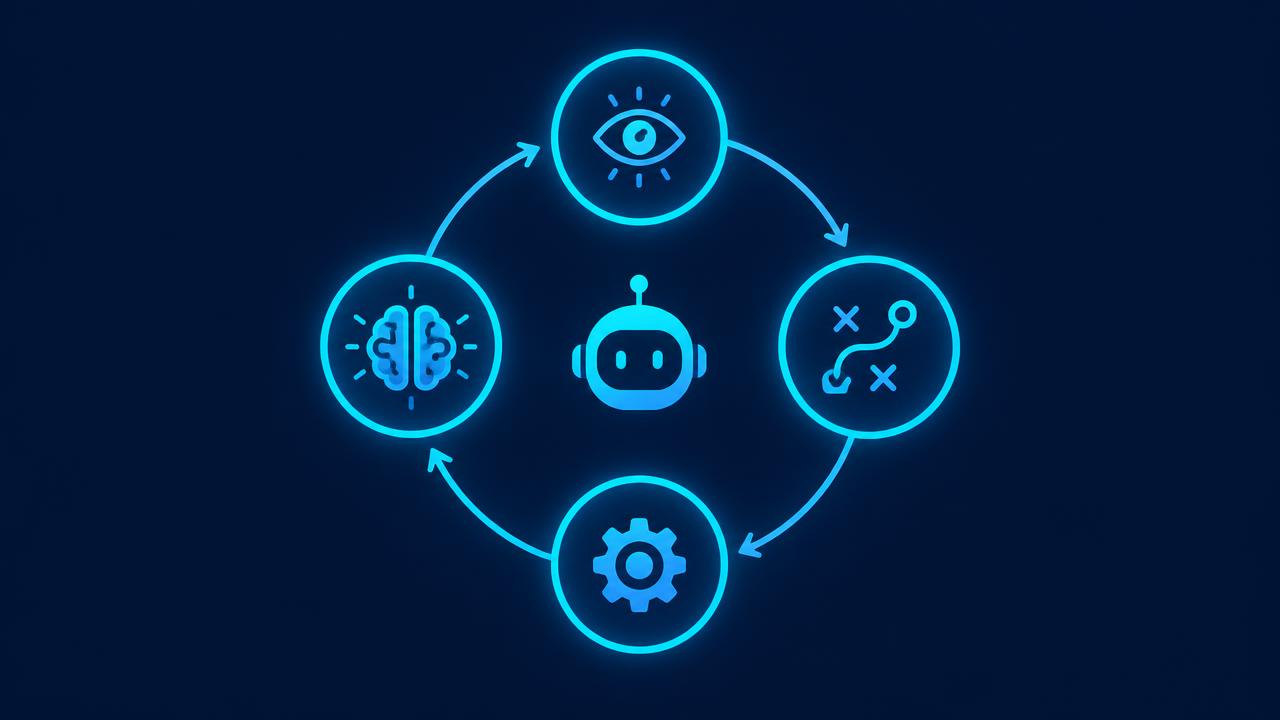
Under the hood, most business agents follow the same loop.
1. Perceive
The agent receives an input: a new email, a form submission, a support ticket, or a request from an employee. It gathers context from connected systems such as your CRM, documents, or order history.
2. Plan
Using a language model, the agent decides what needs to happen. For example: identify the company, look up past interactions, check whether the lead fits your ideal customer profile, then draft a reply.
3. Act
The agent uses tools to carry out each step. Tools are simply connections to software: a search function, a database query, a calendar, an email sender, or an API for your business apps.
4. Learn and adjust
The agent checks the result of each action. If a search returns nothing, it tries another approach. If confidence is low or the stakes are high, it asks a human. Over time, feedback and logs are used to improve prompts, tools, and rules.
Three supporting components make this work reliably:
- Memory: short term context for the current task and long term knowledge about your business.
- Guardrails: limits on what the agent may do, which data it may see, and when it must escalate.
- Observability: logs of every step so you can audit decisions and fix problems.
Why businesses are adopting AI agents now
Three shifts have made agents practical for everyday companies:
- Better models. Reasoning and tool use have improved dramatically, as documented in the Stanford AI Index.
- Easier integration. Most business software now offers APIs, and new standards make it simpler to connect AI to tools.
- Proven economics. McKinsey's research shows organizations moving from experimentation toward scaled deployment, with agentic systems a growing focus.
Gartner has also named agentic AI one of the most important technology trends, predicting that agents will make a growing share of routine work decisions in the coming years.
The best AI agent use cases by department
The most valuable agents target repetitive, information heavy work where speed and consistency matter.
Sales agents
- Lead research: given a new lead, the agent researches the company, role, and recent news, then writes a summary for the rep.
- Lead qualification: the agent scores leads against your criteria and books meetings with qualified prospects.
- Follow up: it drafts personalized follow ups based on call notes and CRM history.
Explore our AI sales and revenue systems.
Customer support agents
- Answering common questions using your knowledge base.
- Looking up orders, bookings, or account details and resolving routine requests.
- Triaging complex issues and handing them to people with a full summary.
See our deep dive on AI chatbots for customer service.
Operations agents
- Processing documents such as invoices, contracts, and applications.
- Monitoring inventory or schedules and flagging exceptions.
- Coordinating handoffs between teams and systems.
Marketing agents
- Researching topics and competitors.
- Drafting and repurposing content in your brand voice.
- Compiling campaign performance reports with commentary.
Internal knowledge agents
- Answering employee questions about policies, procedures, and past projects.
- Summarizing long documents and meetings.
- Helping new hires ramp up faster.
Finance and admin agents
- Reconciling transactions and flagging anomalies.
- Chasing overdue invoices with polite, personalized reminders.
- Preparing first drafts of routine reports.
Single agent vs. multi agent systems
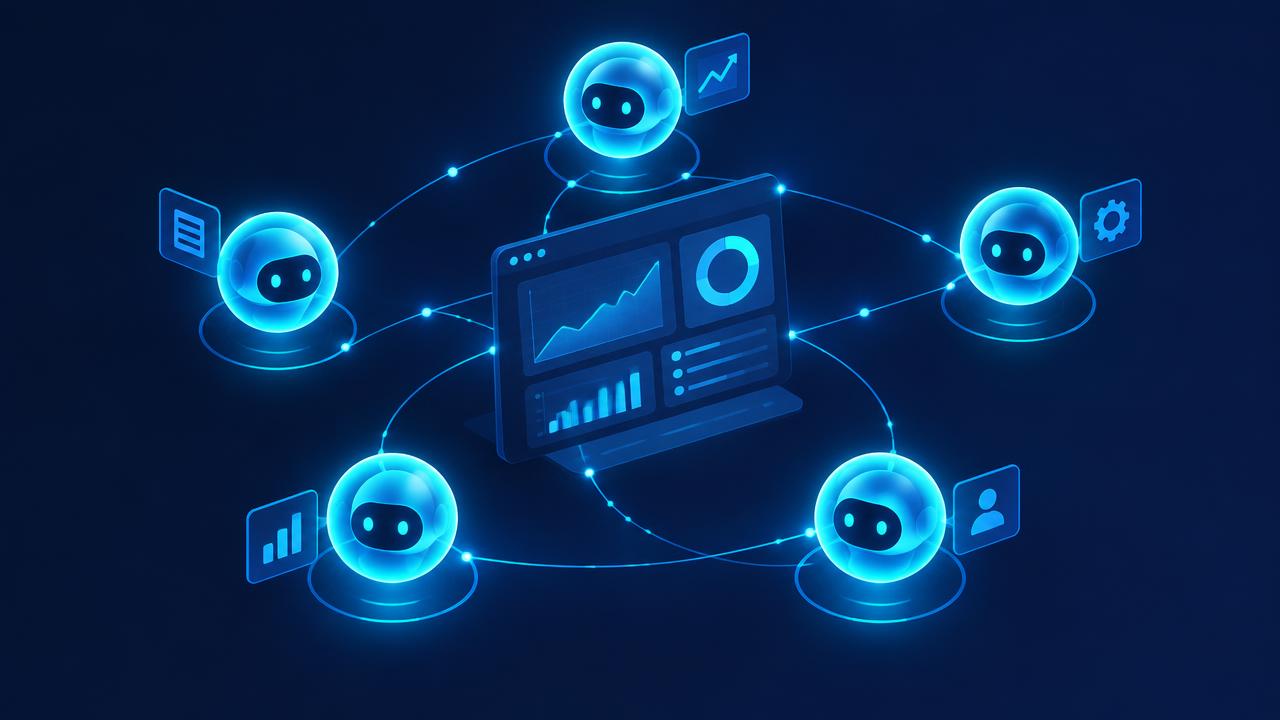
A single agent handles one well defined job. A multi agent system uses several specialized agents that pass work between them, such as a researcher, a writer, and a reviewer. Multi agent designs can handle larger processes but add complexity and cost. For most businesses, the right first step is one focused agent that does one job extremely well.
Risks and how to manage them
Agents are powerful because they act. That also means mistakes can have consequences. Responsible deployment addresses these risks directly.
Accuracy and hallucination
Language models can produce confident but incorrect answers. Reduce this by grounding the agent in your own data, requiring citations to source documents, and adding validation steps.
Over permission
An agent should only access the data and tools it needs. Apply least privilege access and require human approval for sensitive actions such as refunds, payments, or contract changes.
Data privacy and security
Know where data goes and which providers process it. The NIST AI Risk Management Framework and the OWASP Top 10 for LLM Applications are excellent references for identifying and mitigating risks such as prompt injection and data leakage.
Regulation
Depending on your industry and region, rules such as the EU AI Act may apply. Keep records of how your agents make decisions and where humans are involved.
Trust and adoption
Employees and customers need to trust the system. Be transparent about when people are interacting with AI and make it easy to reach a human.
How to deploy your first AI agent: a step by step plan
Step 1: Pick one narrow, valuable job
Choose a task that happens often, follows a recognizable pattern, and has a clear definition of done. "Qualify inbound leads and book meetings with good fits" is a great first agent. "Run our sales department" is not.
Step 2: Define success metrics
Decide how you will judge the agent: response time, accuracy, hours saved, meetings booked, or tickets resolved without escalation. Measure the current baseline.
Step 3: Map the tools and data
List every system the agent needs to read from or write to. Confirm access, clean up the most important data, and document business rules the agent must follow.
Step 4: Design guardrails
Decide what the agent may do alone, what needs approval, and what it must never do. Define escalation paths and the information a human needs when a case is handed over.
Step 5: Build and test with real cases
Build the agent and test it against a set of real historical examples, including tricky edge cases. Compare its output with what your best employee would do.
Step 6: Launch with a human in the loop
Start in a supervised mode where people approve actions. As accuracy is proven, gradually expand autonomy for low risk actions.
Step 7: Monitor and improve
Review logs, collect feedback, and refine prompts and tools. Report results against your baseline every month.
Our custom AI agents service follows exactly this process.
Build vs. buy: off the shelf agents or custom agents?
Off the shelf agents inside popular software are quick to switch on and work well for generic tasks. Custom agents make sense when the job depends on your unique data, processes, or combination of tools, or when the agent is a competitive advantage. Many businesses use both: packaged features for common needs and a custom agent for the workflow that sets them apart. Our guide to custom AI solutions covers this decision in detail.
What does it cost to run AI agents?
Costs include design and development, integration with your systems, and ongoing usage fees for the AI model and connected software. Usage costs scale with volume and task complexity. A well designed agent keeps them low by using simpler models for easy steps, caching repeated information, and only invoking heavy reasoning when needed. Compare the total with the time and revenue the agent affects to judge return.
A day in the life of a business with AI agents
To make this concrete, imagine a growing services company that has deployed three focused agents. None of them is flashy. Each does one job well, and together they change how the business feels to run.
Morning: the research agent
At 7 a.m., before anyone logs in, a research agent has already reviewed every lead that arrived overnight. For each one it has checked the company website, confirmed the industry and approximate size, looked for recent news, and compared the lead against the ideal customer profile. When the sales team opens the CRM, every record has a short, readable brief and a suggested next step. Reps no longer spend their first hour of the day copying information between browser tabs.
Midday: the support agent
Throughout the day, a support agent answers routine customer questions on the website and by email. It checks order status, explains policies using approved content, and books callbacks. When a customer is upset or a request falls outside policy, it hands the conversation to a person with a clear summary of what has happened so far. The support team handles fewer tickets, but the tickets they handle are the ones that truly need them.
Afternoon: the operations agent
In the afternoon, an operations agent processes incoming purchase orders and invoices. It extracts the key fields, matches them against existing records, and flags anything unusual, such as a price that does not match the contract or a duplicate invoice number. A finance team member reviews the flagged items in minutes rather than keying in every document by hand.
Evening: the reporting agent
At the end of the day, a reporting agent compiles a short summary for leadership: new leads, meetings booked, tickets resolved, orders processed, and anything that needs attention tomorrow. The summary is written in plain language, with links back to the underlying records.
Notice what is missing from this picture. There is no single all powerful agent running the company. There are narrow, well governed assistants, each with clear permissions and a human checkpoint where it matters. That is what successful adoption looks like in practice.
How to evaluate AI agent performance
Measuring an agent is different from measuring a traditional software feature, because the agent makes judgment calls. A practical evaluation approach includes four layers.
- Task success: did the agent complete the job correctly? Review a regular sample of runs against a clear definition of done.
- Quality: was the output accurate, well written, on brand, and grounded in the right sources?
- Safety: did the agent stay within its permissions, protect sensitive data, and escalate when it should have?
- Business impact: did the agent move the metric you care about, such as response time, hours saved, or meetings booked?
Keep a growing test set of real examples, including the tricky ones that caused mistakes in the past. Every time you change a prompt, tool, or model, run the test set again so improvements in one area do not quietly create problems in another. Over time, this discipline turns an experimental agent into a dependable part of your operation.
Preparing your team for AI agents
Technology is only half of the story. People need to understand what the agents do, why they were introduced, and how their own roles benefit. Share the goals openly, involve frontline staff in designing the workflows, and give them an easy way to flag problems. Employees who helped shape an agent tend to become its strongest advocates. Our AI training and enablement service helps teams build that confidence.
How VANGAI builds AI agents
VANGAI designs and deploys custom AI agents that plug into the tools you already use. We start with discovery to find the job with the best return, define clear metrics, build with strong guardrails and human oversight, and keep improving after launch. You own everything we build.
Learn how agents fit into a wider plan in our AI consulting services guide, or see how simpler workflows compare in our AI automation agency guide.
The future of AI agents in business
Over the next few years, agents will become more capable, more connected, and more common inside everyday software. Several trends are already visible.
- Agents inside every tool. CRMs, help desks, accounting platforms, and project management tools are adding built in agents that act on your data.
- Better collaboration between agents. Specialized agents will increasingly hand work to one another, with shared standards making it easier to connect them to business systems.
- Stronger evaluation and oversight. As adoption grows, so will tools for testing, monitoring, and auditing agent behavior.
- Clearer regulation. Rules for transparency, accountability, and data protection will mature, rewarding businesses that built responsible practices early.
For business owners, the implication is straightforward. The companies that learn to design, govern, and improve agents now will compound that advantage as the technology improves. Those that wait will find themselves competing against rivals who respond faster, operate leaner, and serve customers around the clock.
The practical first step is not a massive transformation program. It is one well chosen agent, measured honestly, and improved steadily. Every lesson from that first deployment makes the second faster, cheaper, and more valuable.
The bottom line
AI agents for business are no longer experimental. They can research, qualify, answer, process, and report with remarkable speed. The winners will not be the companies that deploy the most agents, but those that deploy focused, well governed agents tied to clear outcomes.
Curious which agent would deliver the biggest impact for your team? Book a free discovery call and we will help you find it.
Frequently asked questions
What is an AI agent in business?
An AI agent is software that uses a language model to complete multi step tasks toward a goal. It plans steps, uses tools such as your CRM or email, checks results, and escalates to a person when needed.
How are AI agents different from chatbots?
Chatbots mainly answer questions in conversation. AI agents can take actions, such as looking up records, updating systems, sending messages, or triggering workflows, and they can plan several steps to reach a goal.
What are the best first use cases for AI agents?
Strong first use cases include lead research and qualification, customer support for routine requests, document processing, internal knowledge assistants, and invoice follow up. Choose a narrow, frequent task with a clear definition of done.
Are AI agents safe to use with customer data?
They can be when designed responsibly. Use least privilege access, keep sensitive actions under human approval, choose reputable AI providers, log every decision, and follow frameworks like the NIST AI Risk Management Framework.
How long does it take to deploy an AI agent?
A focused agent can often be designed, built, and tested within a few weeks, depending on integrations and data readiness. Most businesses launch in a supervised mode first and expand autonomy as accuracy is proven.
Sources and further reading
Ready to put this into action?
Book a free discovery call and we will map the highest impact AI opportunities for your business.
Book a Call →